
Depositing money on a crypto exchange is the first step to start trading and investing in crypto. For Indian users, Binance P2P (Peer-to-Peer) is the easiest and safest way to deposit INR and buy USDT or other cryptocurrencies.
With Binance P2P, you can directly buy crypto from verified sellers. There is no middleman, making transactions faster and more secure. You can send money and receive crypto quickly at any time. Let’s go step-by-step on how to deposit INR and buy USDT safely.
Step 1: Open Binance App
First, open your Binance App. If you don’t have it yet, download it from Google Play Store or App Store and log in.
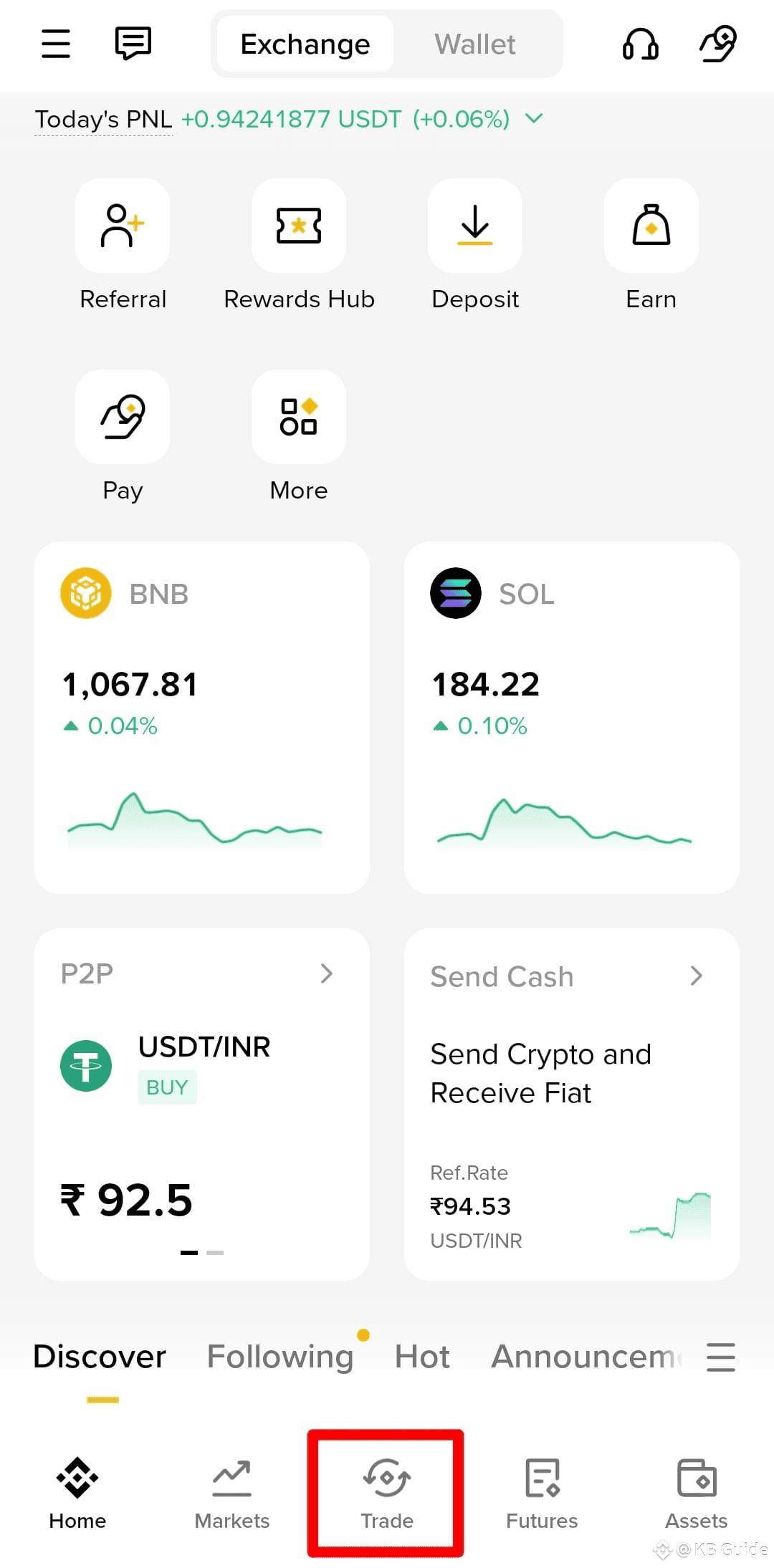
Once logged in, tap on the “Trade” option at the bottom to see all trading options.
Step 2: Go to the P2P Section
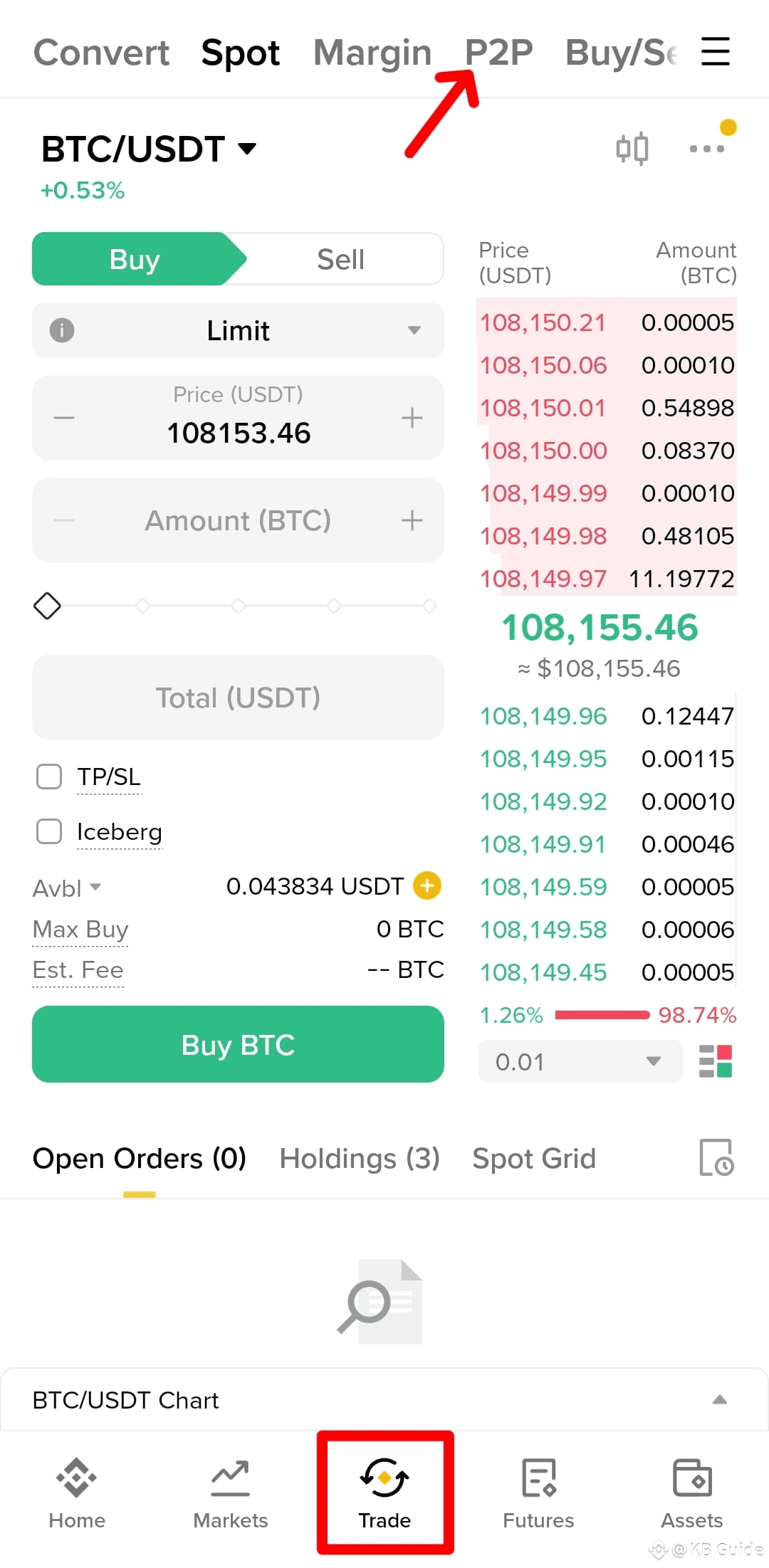
At the top, you’ll see the “P2P” tab. Tap on it.
Here, you’ll find a list of verified merchants selling USDT. You can buy crypto directly from them safely.
Step 3: Enter Amount or Crypto Value
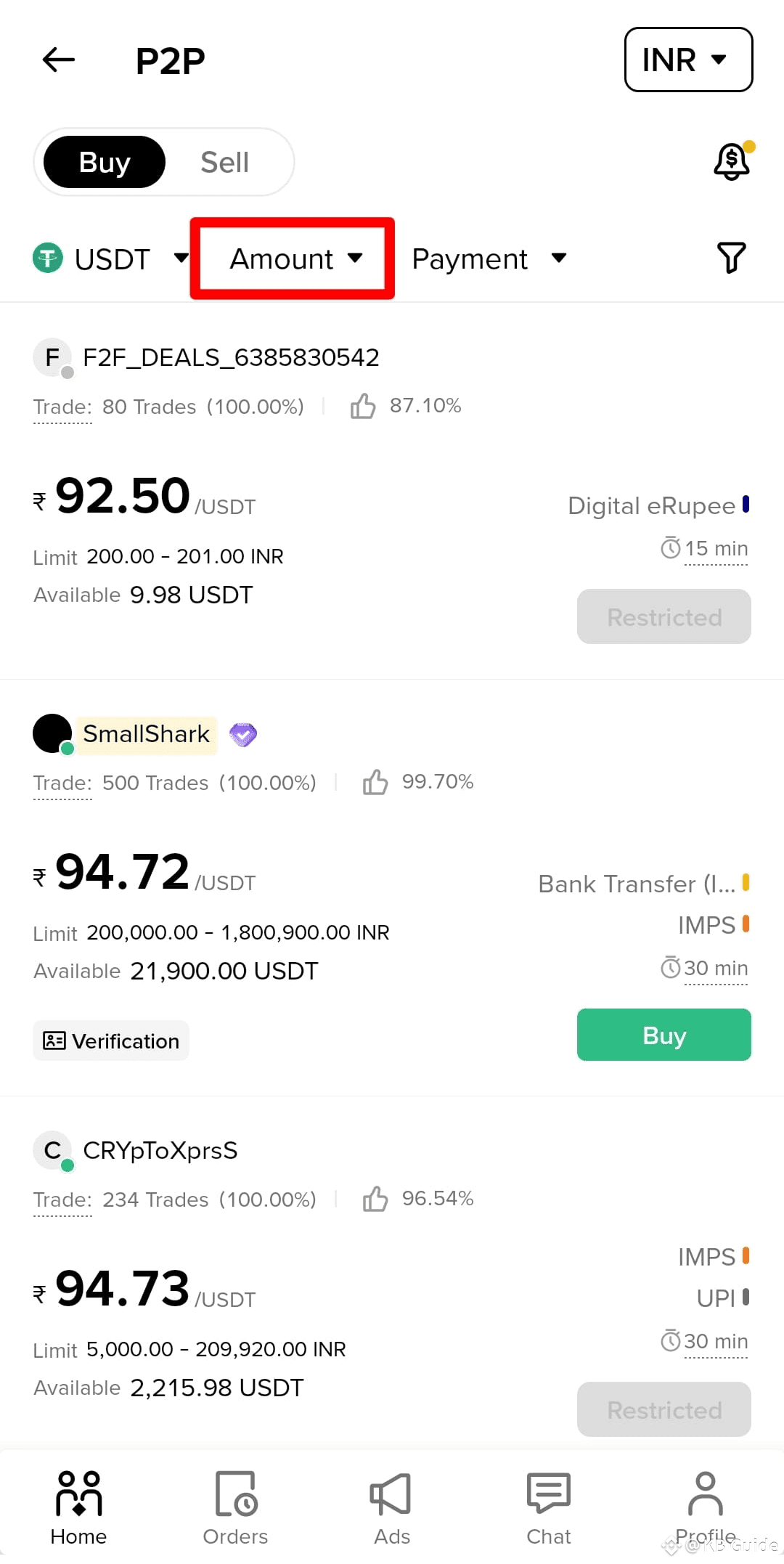
Tap on the "Amount" option to set how much money or USDT you want to buy.
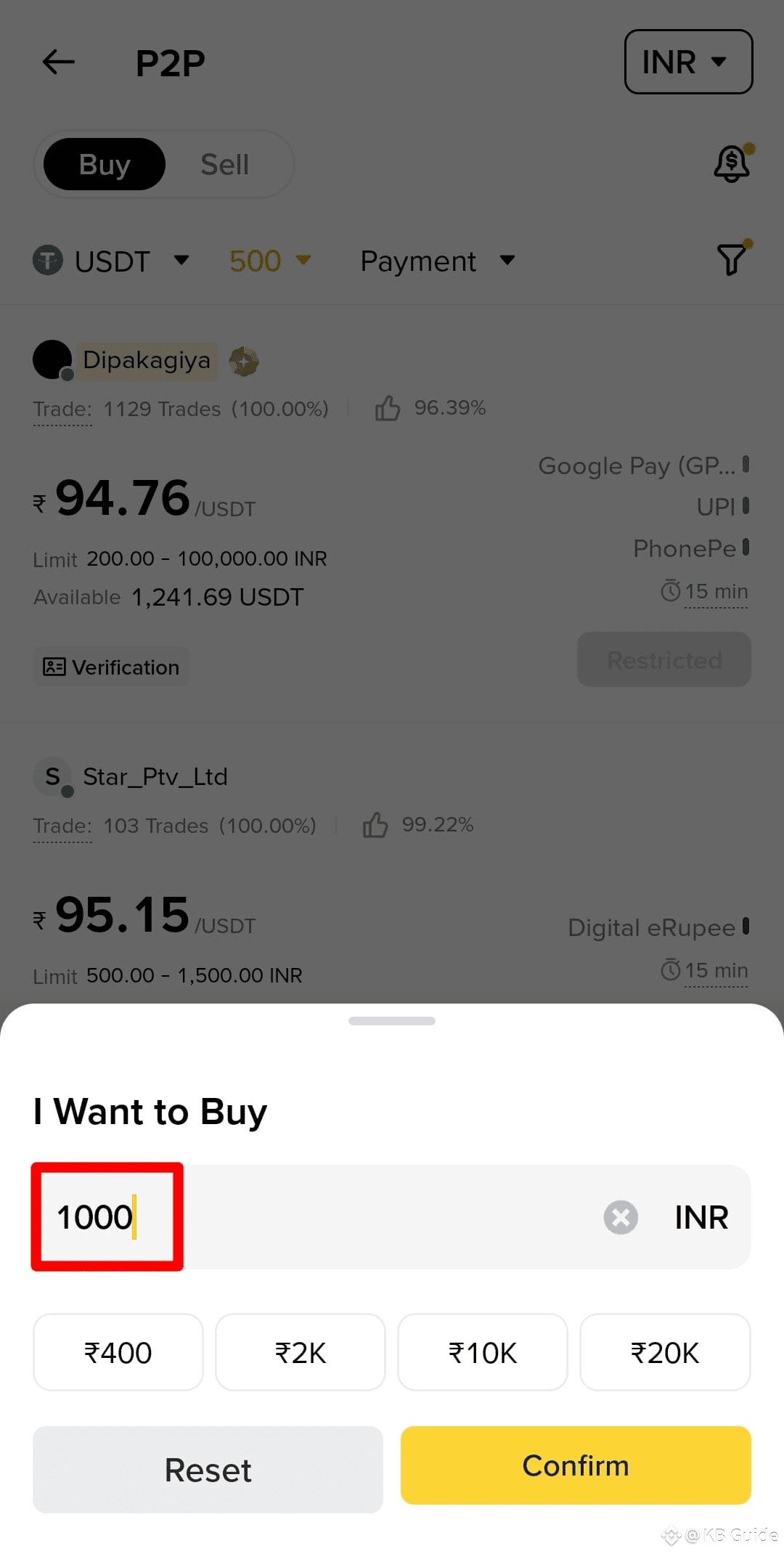
Example: If you want to buy USDT worth ₹1000, enter 1000 in the Amount field.
It’s important to set the amount according to your budget. If you are trying for the first time, start with a small amount.
Step 4: Select Payment Method
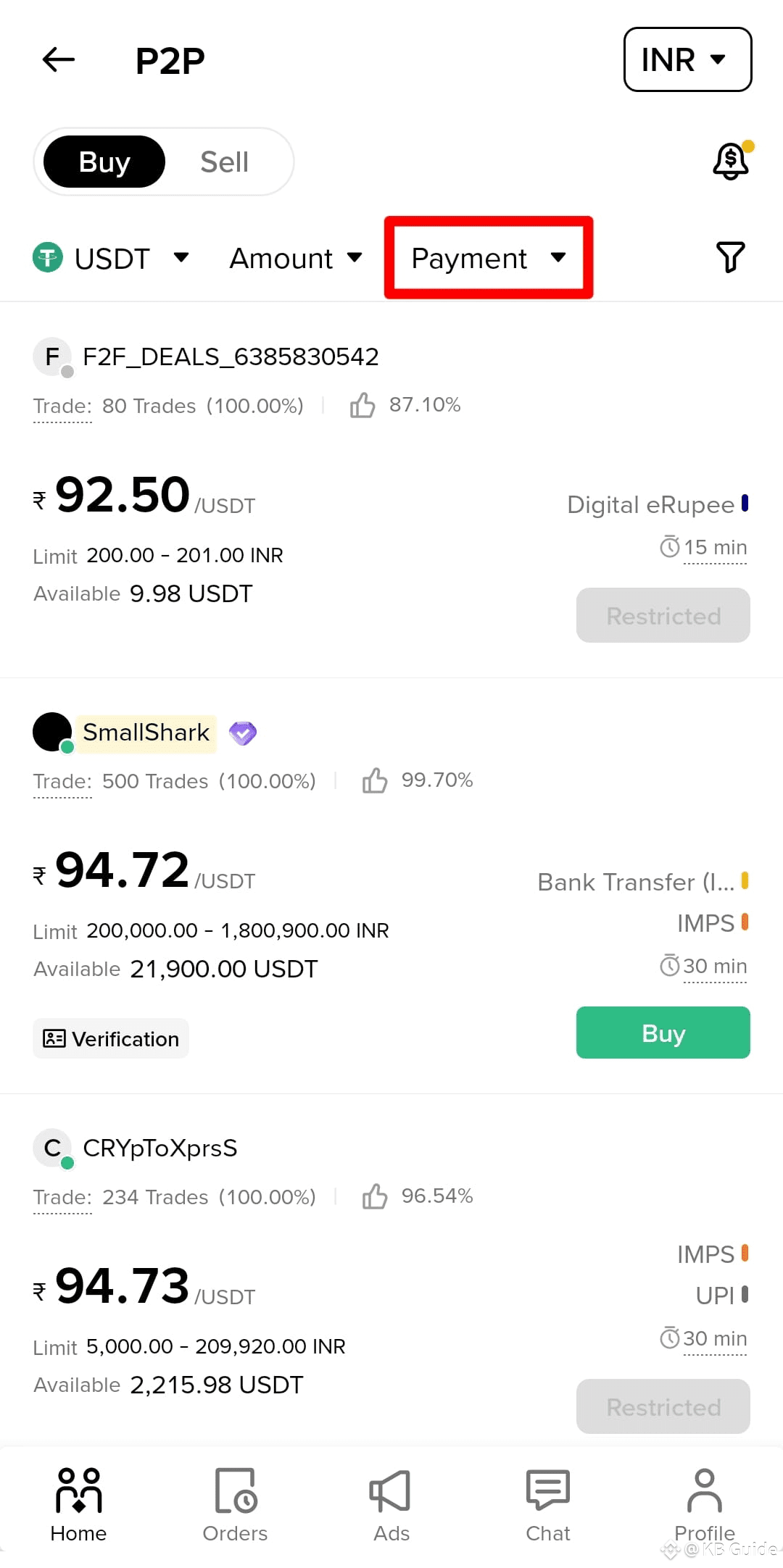
Click on the "Payment" Option and select your preferred payment method:
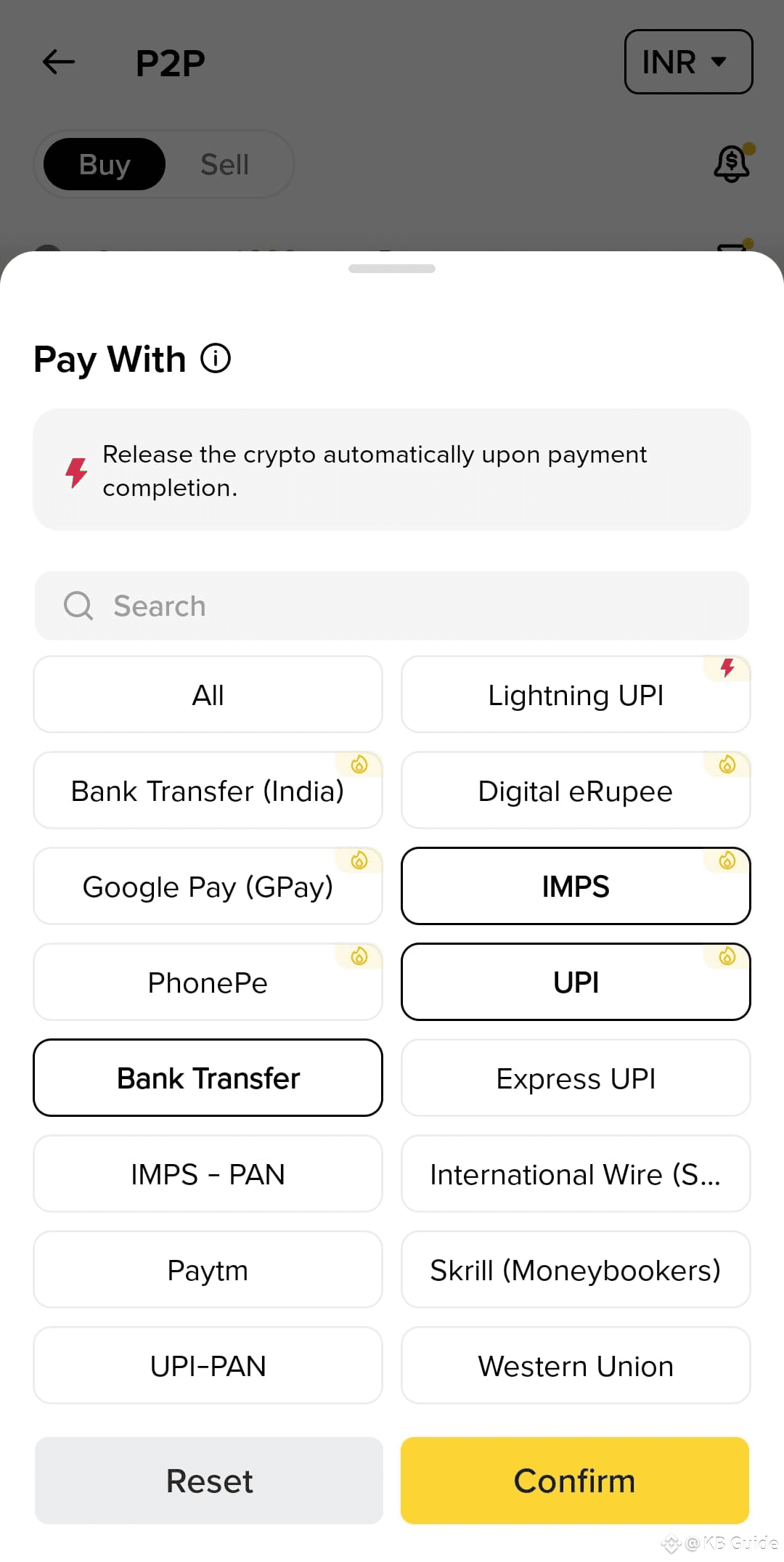
UPI
Bank Transfer
IMPS / NEFT
PhonePe
GPay
Paytm
Make sure this payment method is compatible with your bank account.
Step 5: Select a Verified Merchant
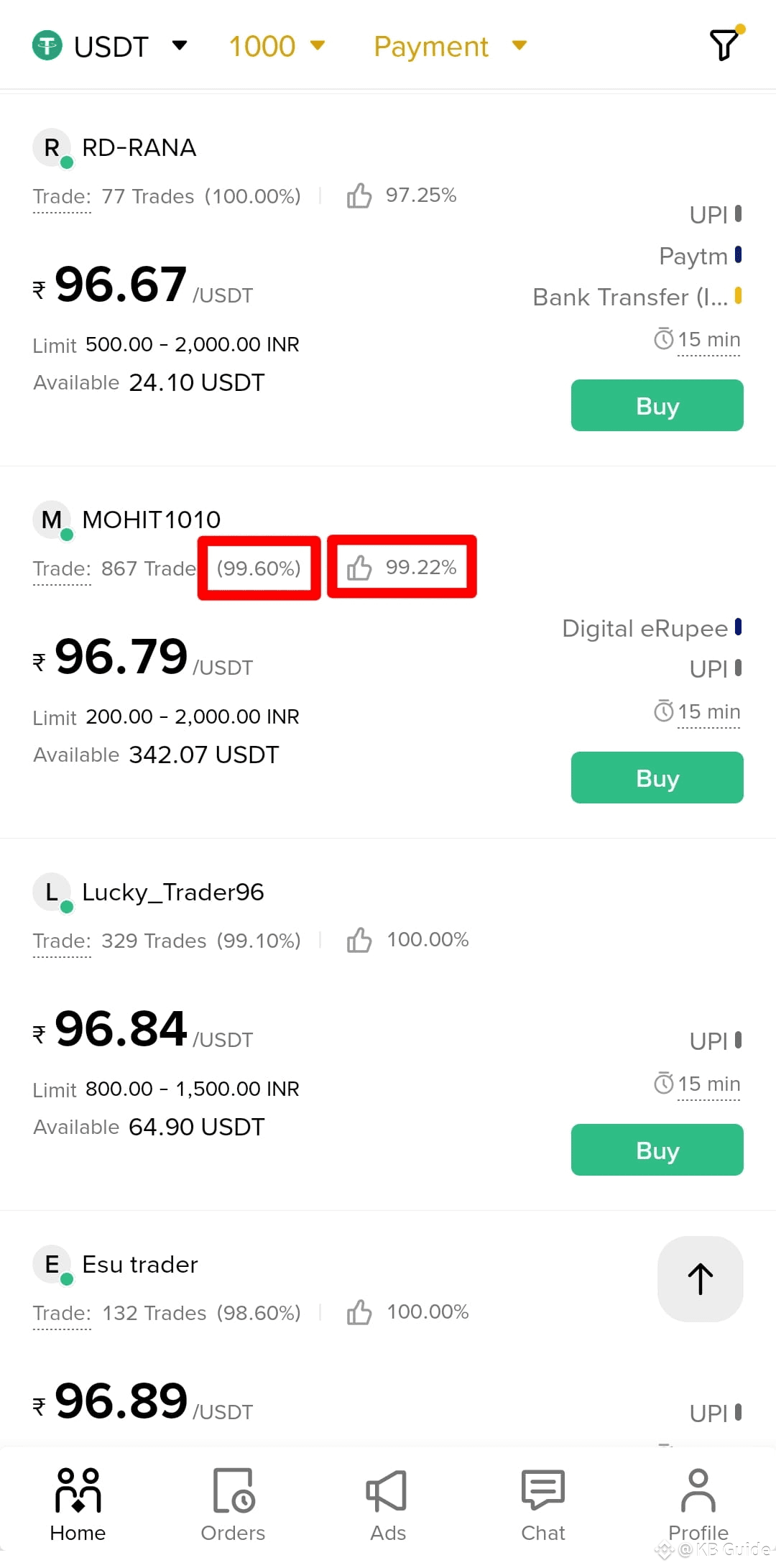
You’ll see multiple sellers with different rates. Each seller shows their completion rate and Verified Badge.
Always choose a seller with ✅ high completion rate and ✅ verified badge.
A higher completion rate indicates a trustworthy seller who can quickly complete your transaction.
Step 6: Click on ‘Buy’
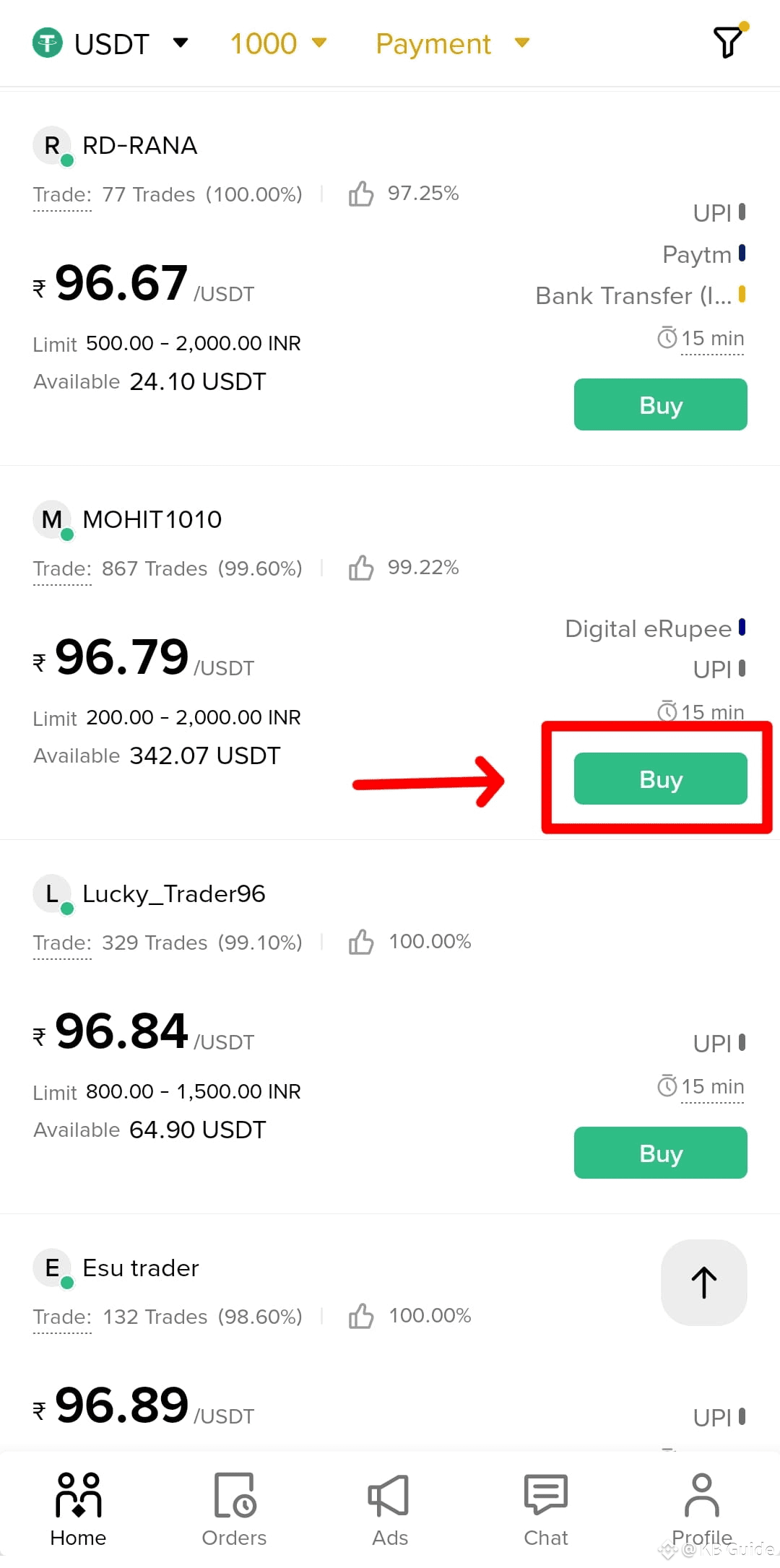
Click the “Buy” button next to the selected seller.
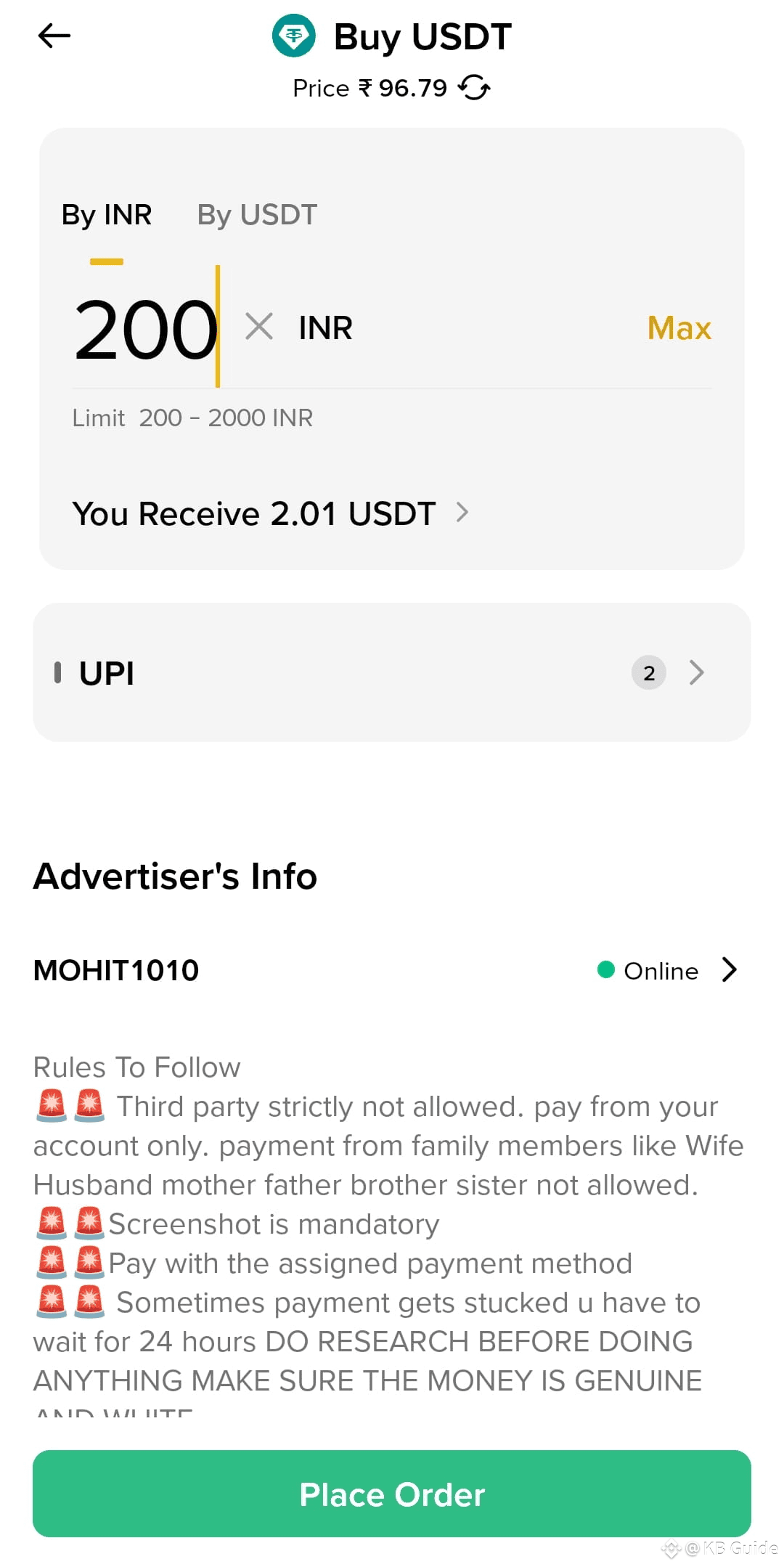
Confirm the amount you want to buy.
Click “Place Order” again.
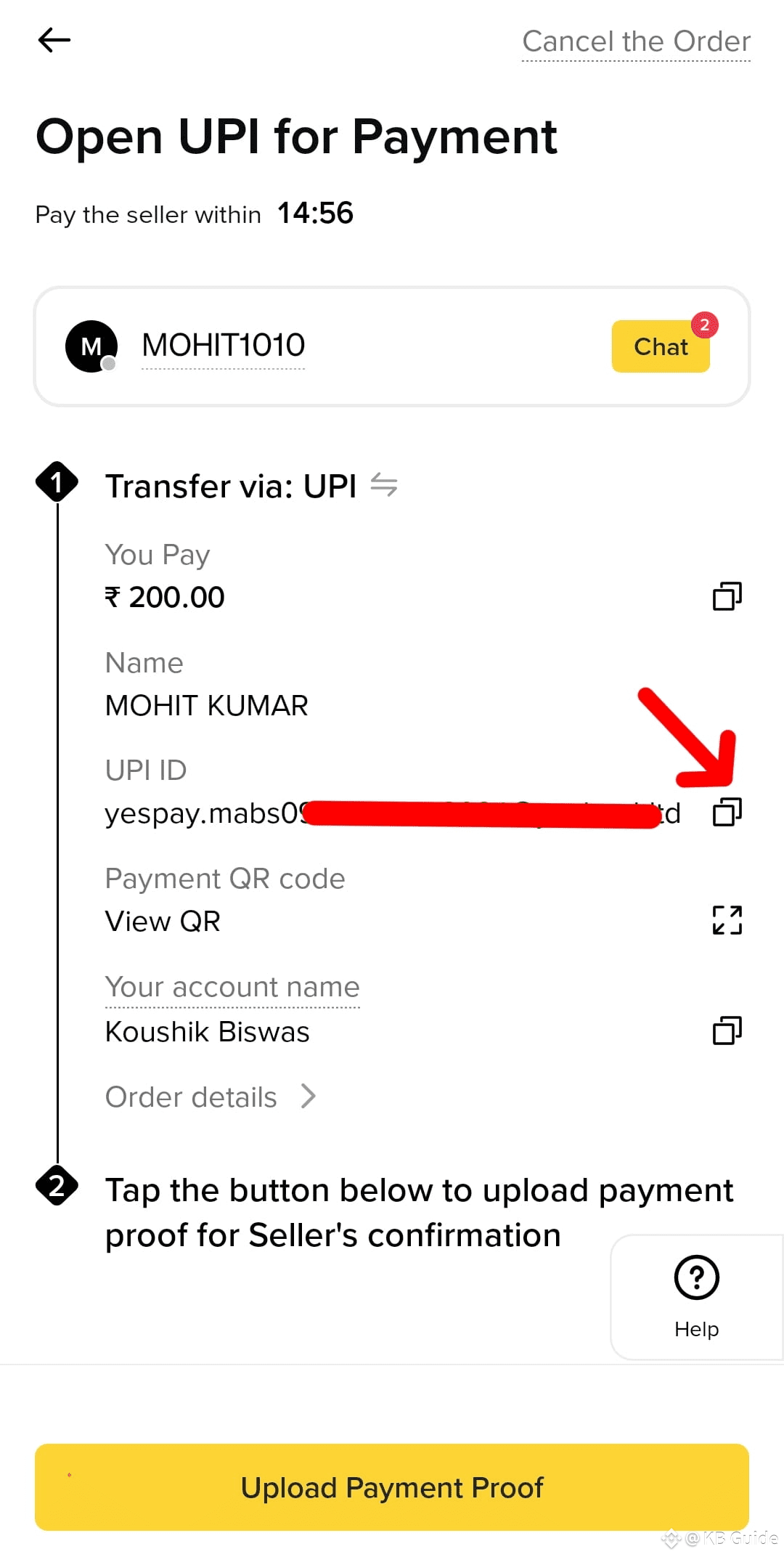
You will now see the payment instructions, including the seller’s UPI ID or bank details.
Step 7: Make the Payment
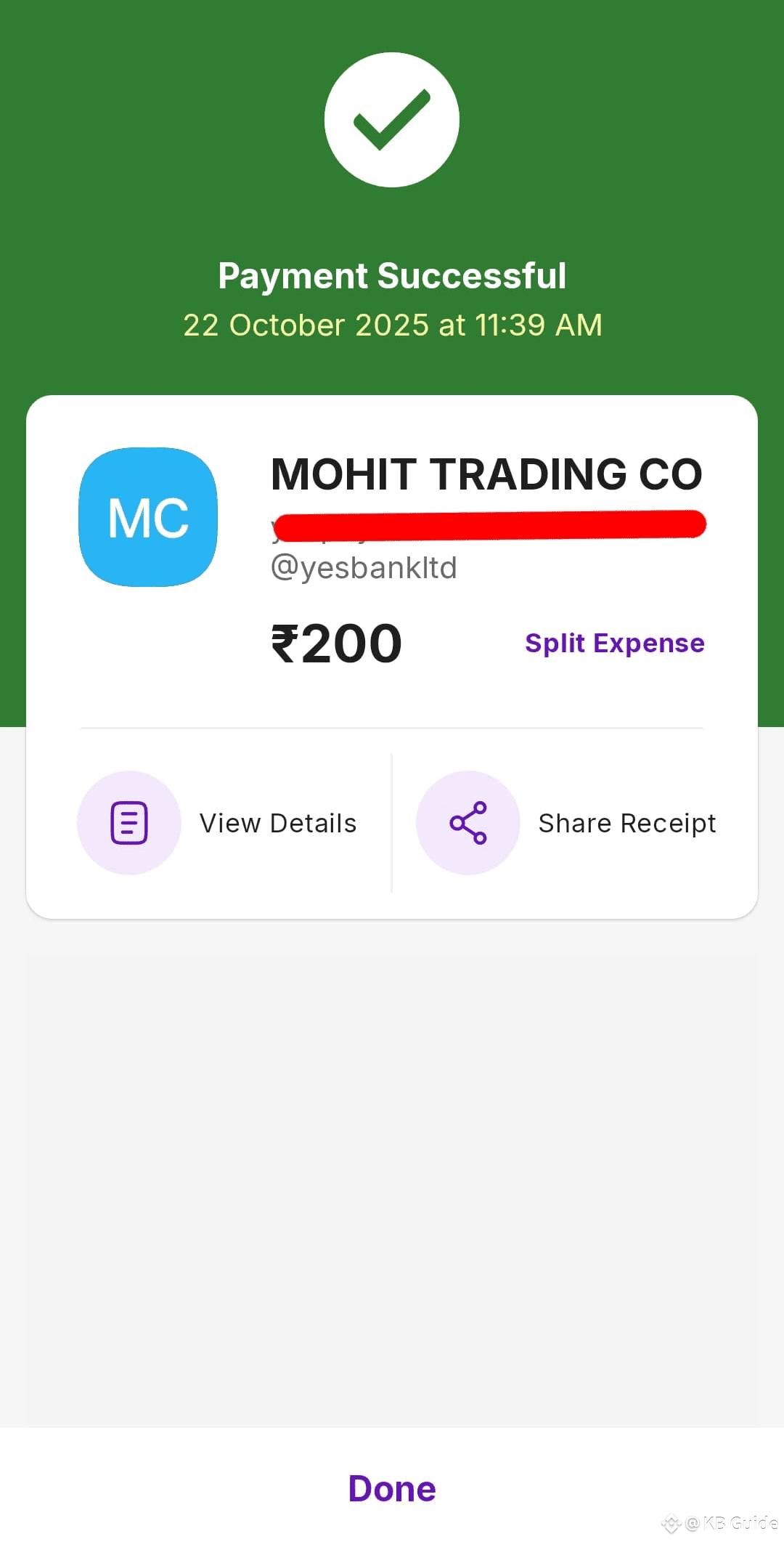
Copy the UPI ID and send the money from your bank or UPI app (PhonePe, Paytm, GPay, etc.).
⚠️ Make sure the sender’s name matches the name on your Binance account (KYC name).
Follow the seller’s instructions carefully.
Do not use an incorrect name or UPI ID.
Step 8: Upload Payment Proof
After sending the payment, return to Binance.
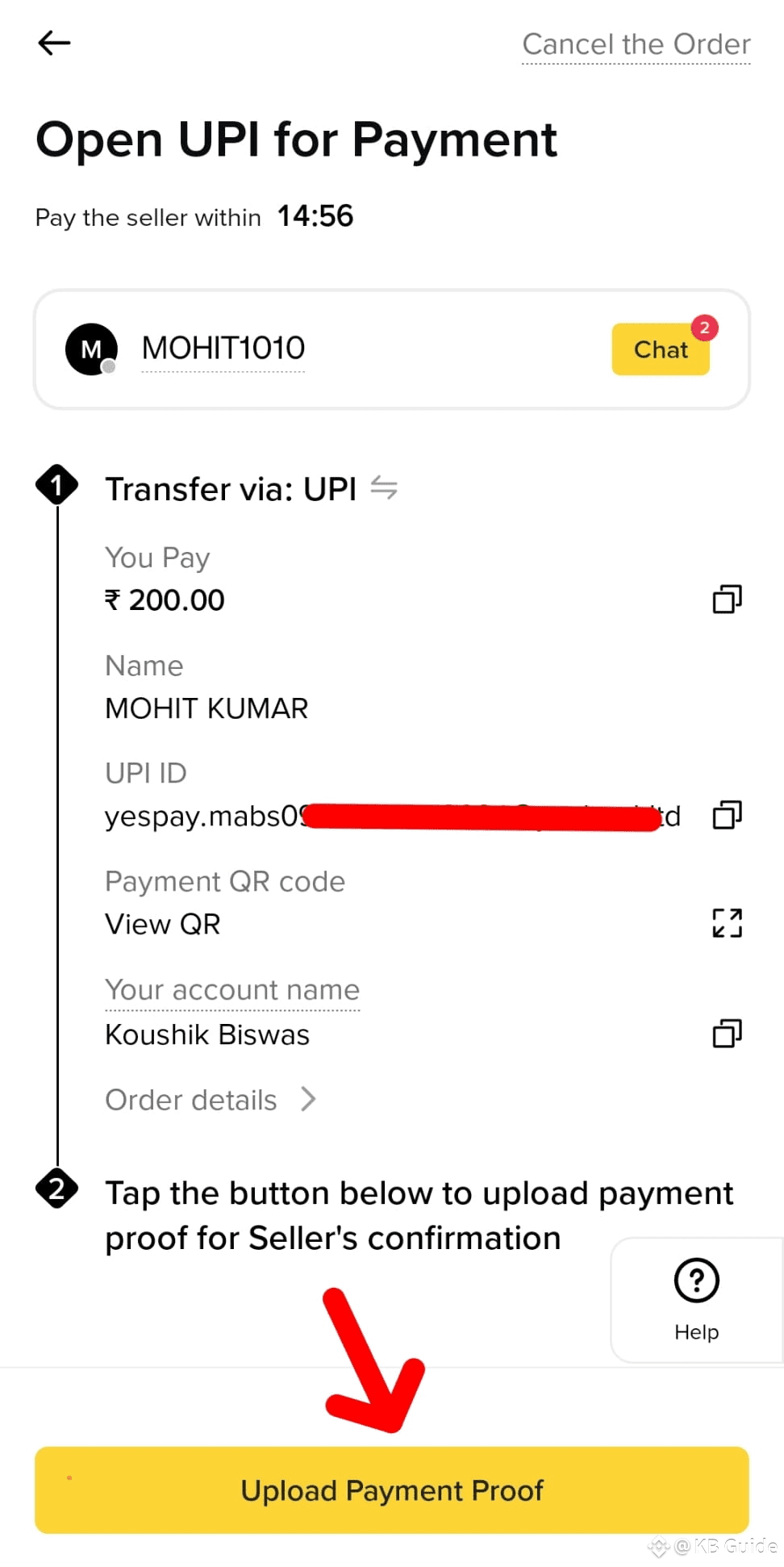
Click on “Upload Payment Proof”
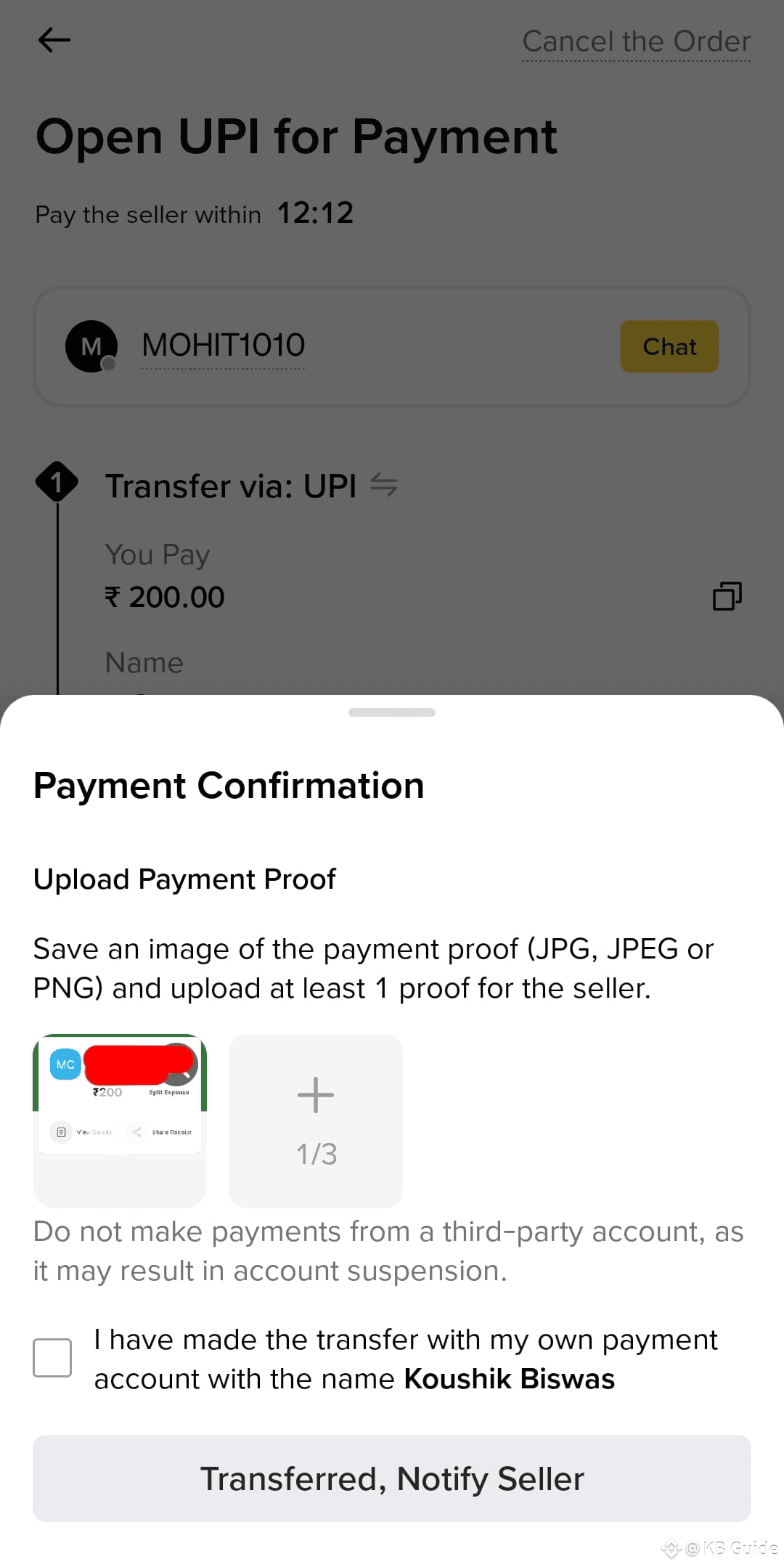
Upload a screenshot of your payment.
Step 9: Confirm the Transfer
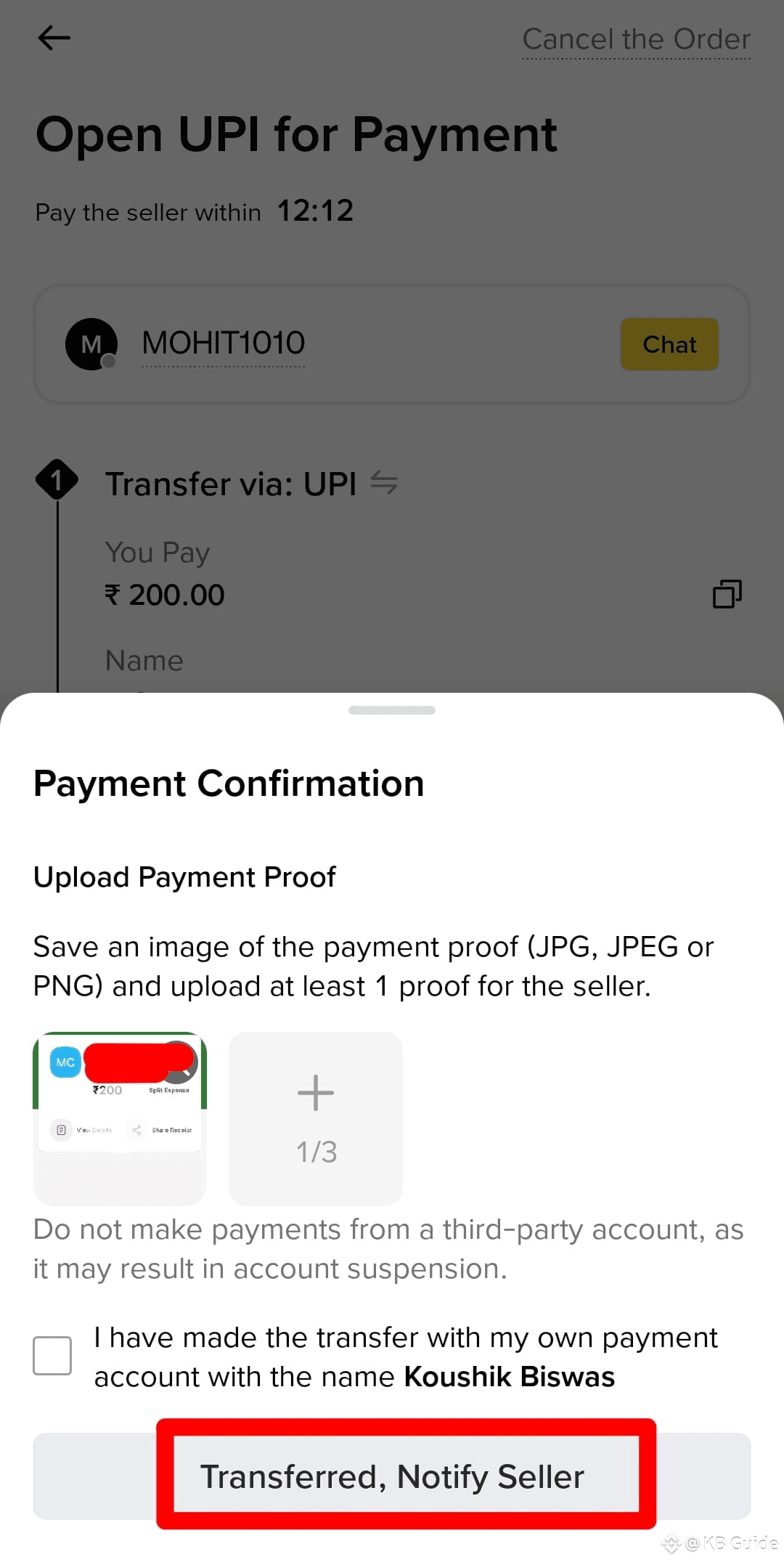
Once the proof is uploaded, click “Transferred, Notify Seller”
This notifies the seller that you have sent the payment. The seller will verify the payment and release USDT to your wallet.
Step 10: Wait for Release
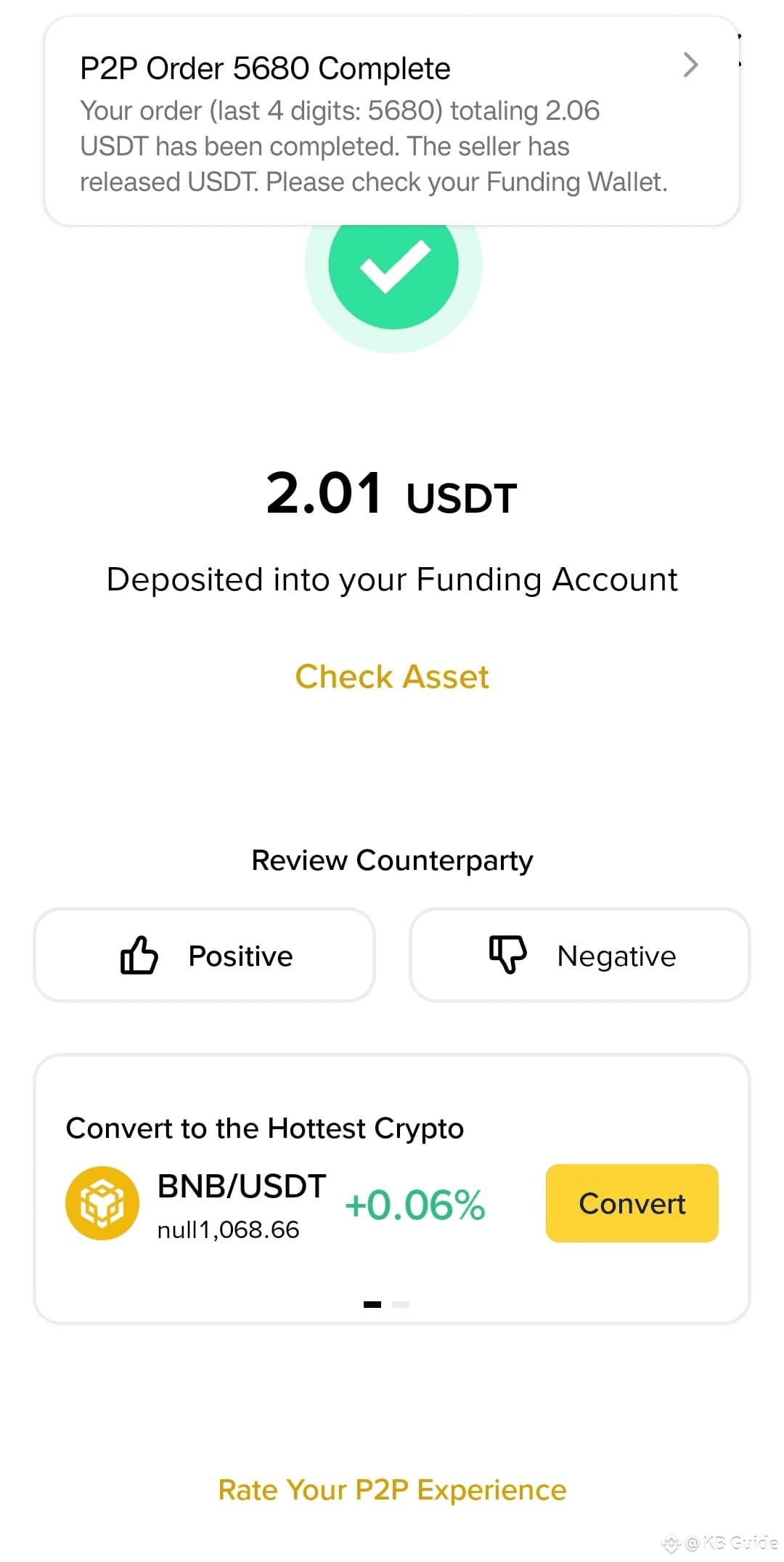
Once the seller confirms the payment, USDT will be credited to your Binance Wallet.
✅ Usually, the transfer completes in 2–5 minutes.
Safety Tips:
Always trade with verified merchants only.
Never make deals or payments outside Binance chat.
Keep a screenshot of all transactions for proof.
Avoid using unknown links or UPI IDs.
For first-time purchases, try a small amount first.
By following these simple steps, you can safely deposit INR and buy USDT on Binance. Using Binance P2P allows you to buy crypto quickly, securely, and with minimal risk.
💬 Comment below — which payment method do you prefer for Binance P2P transactions?