
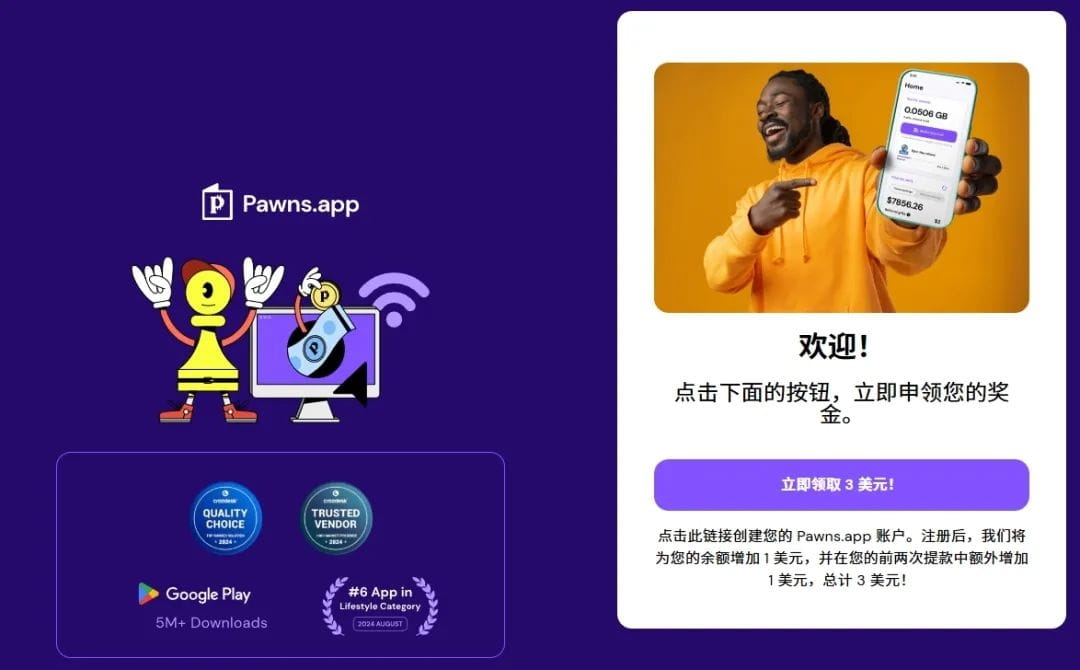
Pawns.app is a platform to earn income by sharing network resources, participating in surveys, and promotional activities. We can achieve passive income by simply downloading and installing!
Earn income by sharing bandwidth
Mode: After the user installs the Pawns.app client software, the platform allows the use of its device's idle network bandwidth. This bandwidth may be used for commercial purposes (such as data collection, content distribution, market research, etc.).
Earnings: Passive income is obtained based on the shared bandwidth usage and region (usually calculated per GB per month, specific rates vary by region). It supports 24/7 backend operation without the need for active operation.
Platform reliability
Background: Operated by an EU company (Dynamo Solutions OÜ), compliant with GDPR privacy standards.
User reviews: Most feedback indicates that the earnings are low but real and reliable. After all, it is passive income, suitable for earning pocket money.
Risk warning: Sharing bandwidth may affect network speed (depending on usage). Weigh the earnings against the device usage costs. It is suitable for idling at work.
Withdrawal methods and thresholds
Minimum withdrawal amount: Usually $5 (or equivalent cryptocurrency).
Payment methods: Supports PayPal, Bitcoin (BTC), Ethereum (ETH), etc.
Processing time: Withdrawals are processed within 1-7 business days.
Project operation process (full version)
Follow the monster below to practice:
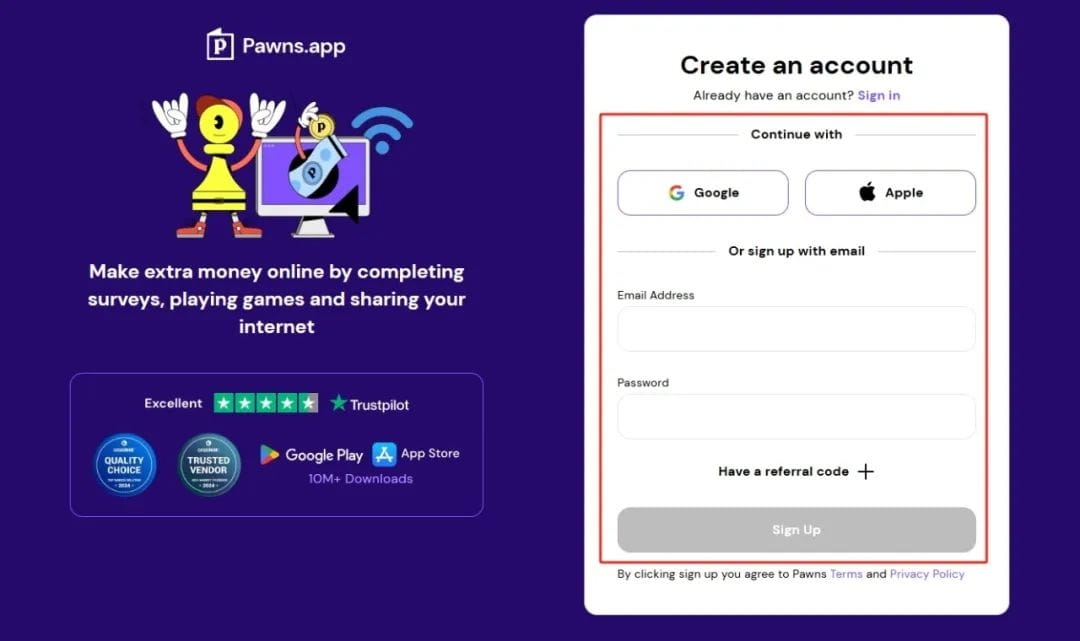
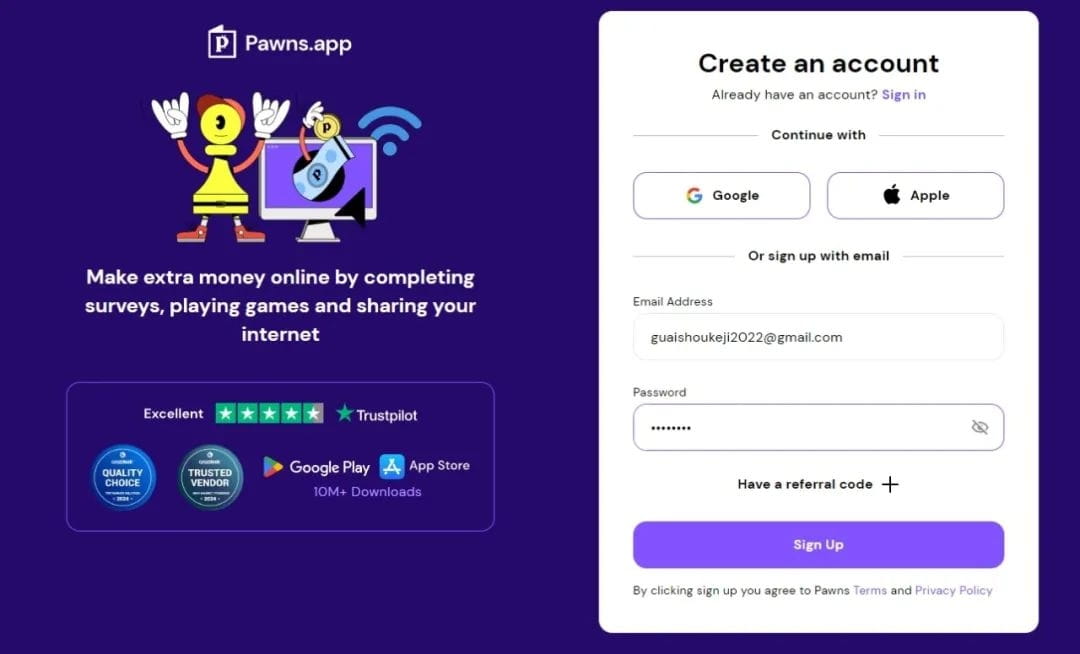
First, the first step is to enter the official website of this project. I will place the website link at the end of the article. We click on Sign up to register. If you have a Google email, you can log in directly. If not, just enter your email and password to enter (you need to enter a real email as it needs to be verified later). When logging in later, just click Sign in.
Then we can enter our backend interface:
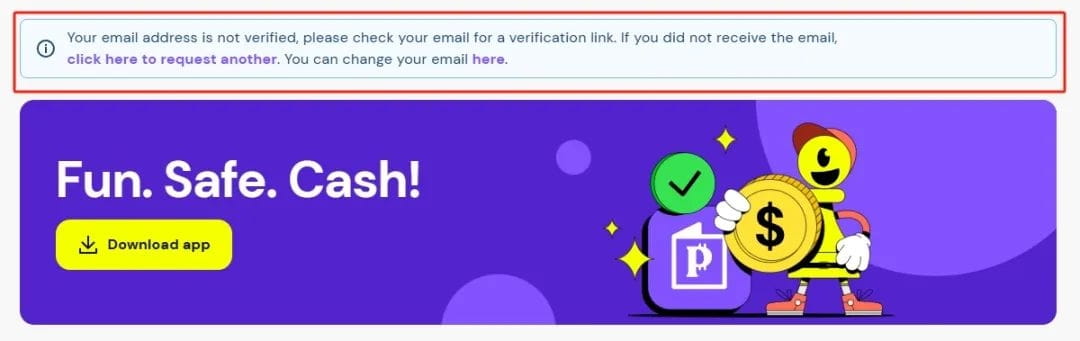
There will be a prompt at the top indicating that you need to verify your email. You can go to your email to verify.
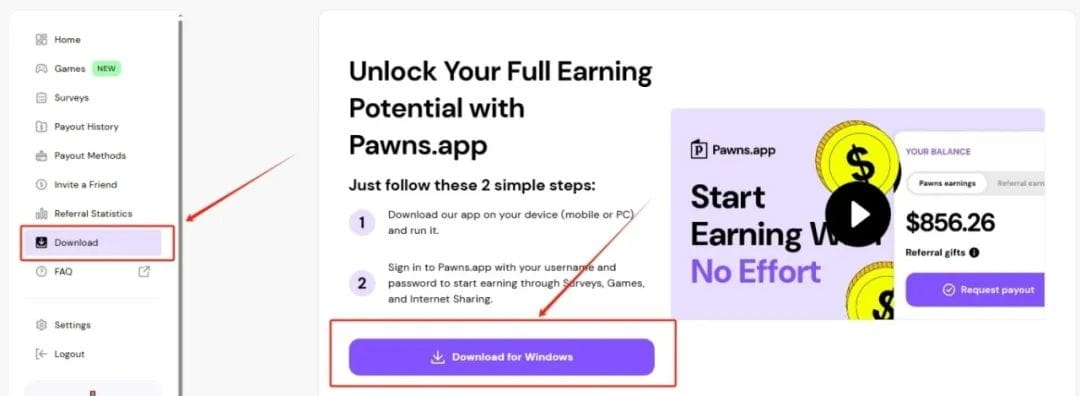
After verifying the email, we click Download for the software. We can choose Download for Windows.

There are also some download links for other devices below. If you are not using Windows, you can choose your device to download.
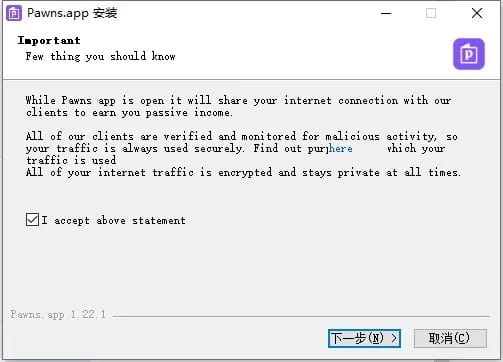
After downloading, there will be an installation package. We can normally click next to install.
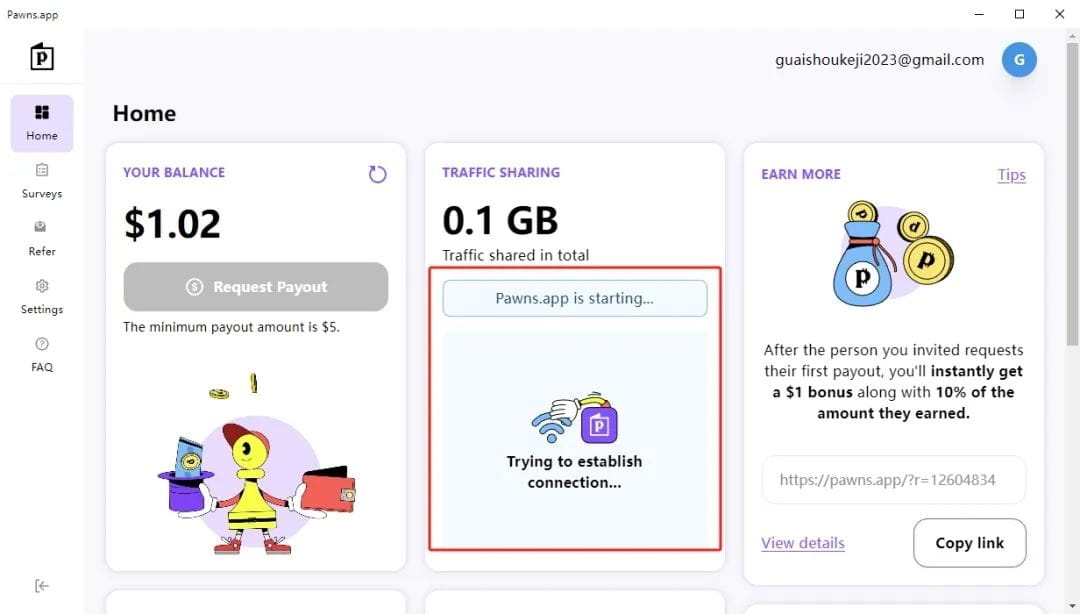
After opening the software, it will connect automatically, we just need to wait.
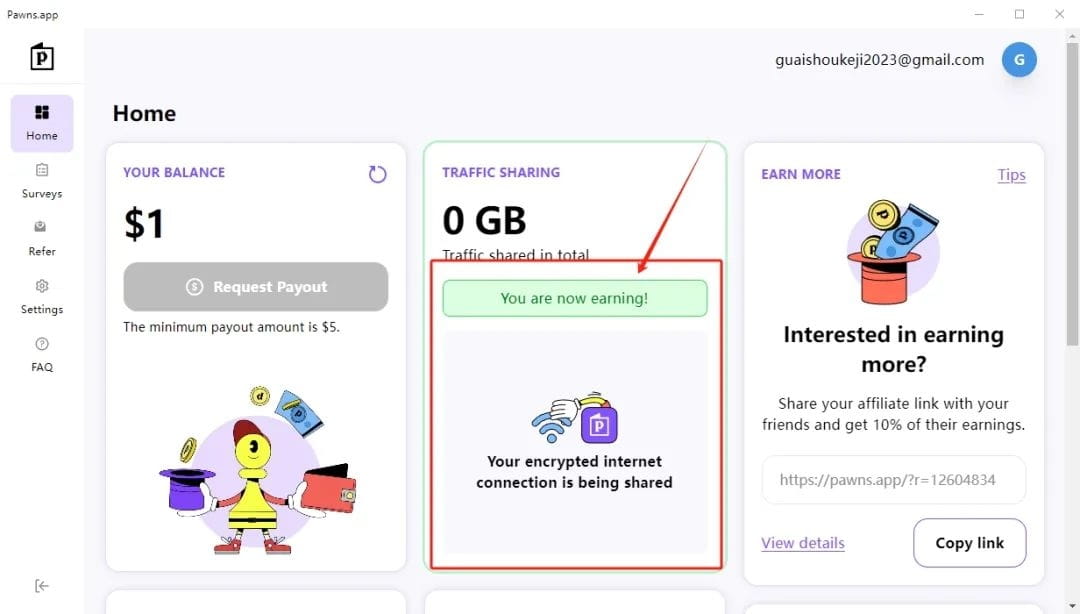
After downloading, we only need to open the software. The green prompt says: You are now earning! This indicates that we have turned on the passive income mode. (If a red prompt appears, it means the connection was unsuccessful. Close the software and reopen it to try again. Sometimes it may turn red due to network speed issues.)
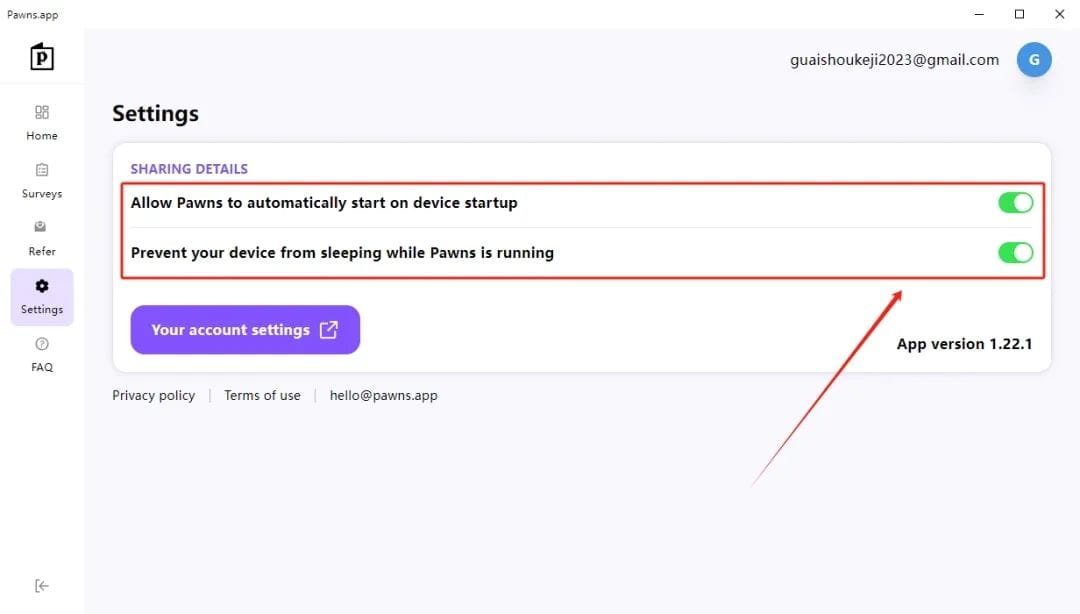
Then check in the settings if these two options are turned off. If they are off, just turn them on. Generally, they are set to on by default after everyone downloads.
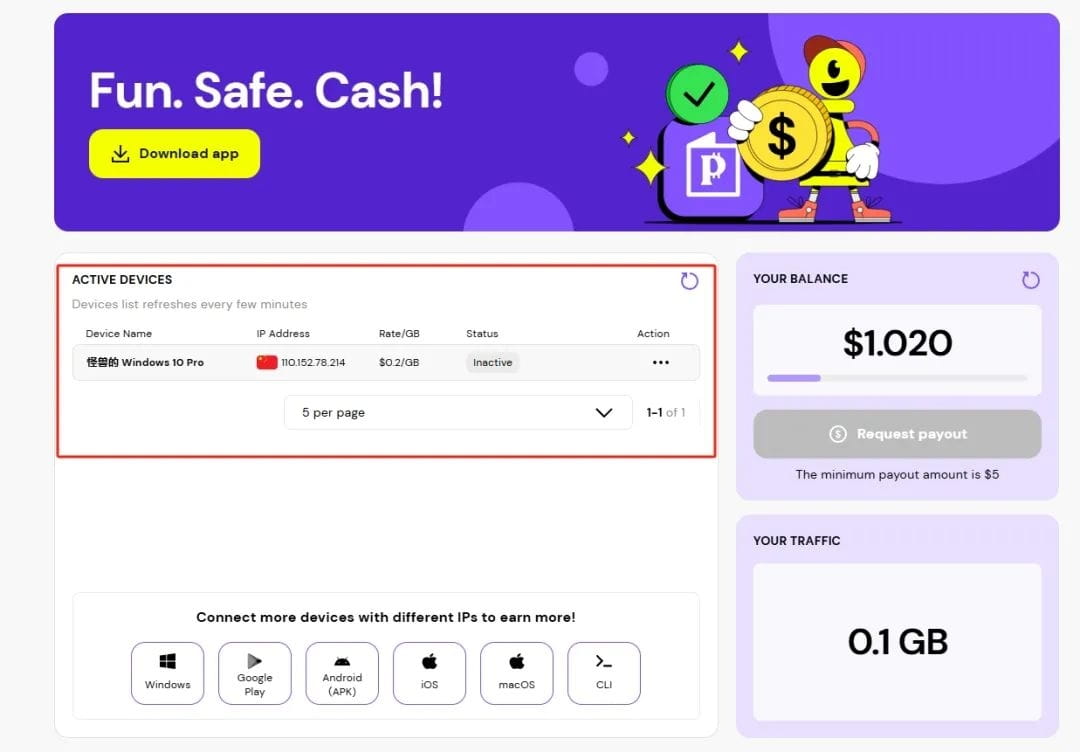
Then we can see your device information in the official backend. If you have multiple devices, information for multiple devices will be displayed. On the right, it will show how much money you have earned, and below it shows how much data you have used. The platform allows withdrawals starting from $5.
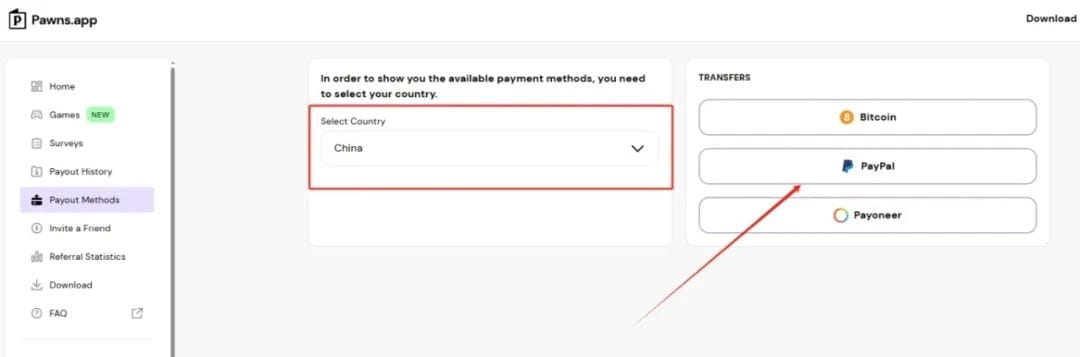
We can choose your payment method in the backend
Pawns registration address:
https://warpcast.com/wanywnlbb/0x854e355c