

Since it's new, there are endless opportunities.
Never thought memecoins could be this profitable on Tron.
Here’s my strategy and all the essentials you need!
SunPump is a new platform similar to PumpFun but on @TRON DAO
It offers creators an easy and affordable way to launch their own meme coins in a secure, user-friendly environment.
SunPump is still relatively unknown, with far fewer daily transactions than PumpFun.
But that's exactly what makes it interesting. The best opportunities are available at this early stage, before everyone else jumps on board.
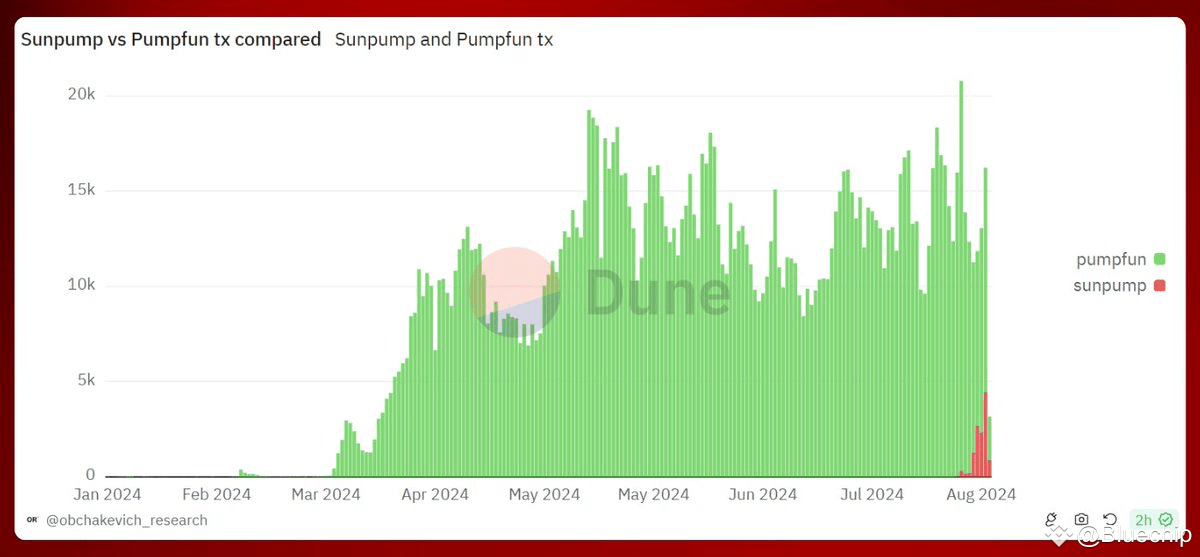
Less than 1% of tokens launched on PumpFun make it to Raydium, whereas the percentage is much higher on SunPump (around 10%).
You could have retired if you had bought tokens a few days ago:
• $SUNDOG +4,589%
• $FOFAR +2,418%
• $BIAO +4,348%
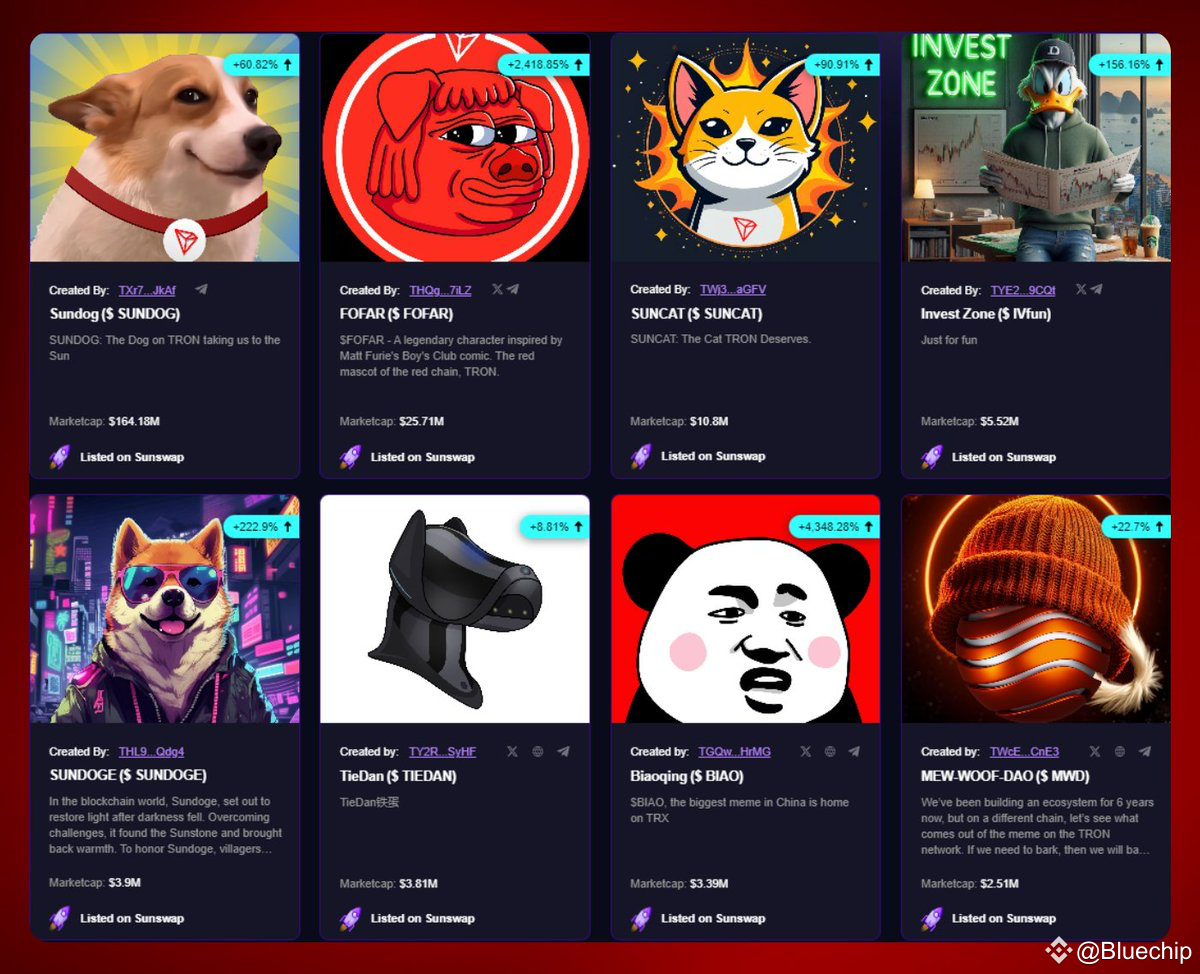
I know that few of you are using TRON, so here are the main applications you'll need:
• Wallet: TronWallet
• DEX: sunpumpmeme
Unfortunately, dexscreener doesn't support TRON, so I recommend using DEXToolsApp instead.
Once your wallet is set up, you must send some $TRX to cover transaction fees.
The simplest way is to buy $TRX on a centralized exchange (like Binance) and transfer it to your Tron wallet.
Once it's in your wallet, you can start trading!
My strategy is to buy memes that haven't yet reached 100% of the bonding curve:
• Uncheck "Listed on Sunswap"
• Sort by "Launched Time" – the younger tokens have the most growth potential
• Click on the one that catches your eye
The most successful tokens are top Solana memes adapted to Tron.
For example, you could look for something like BRETT on TRON with red colors instead of blue (just an example).
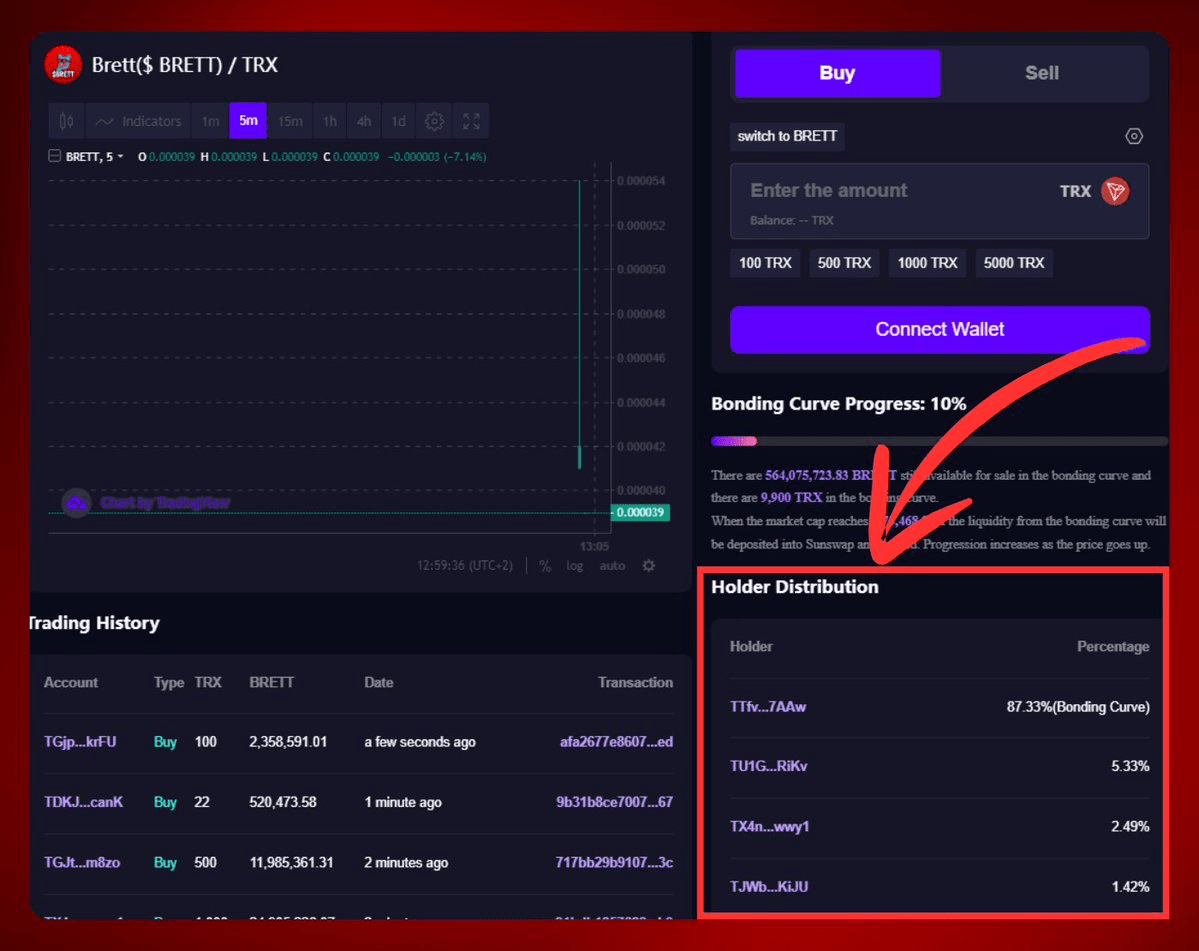
When you click on a meme, make sure no wallet holds more than 5% of the supply.
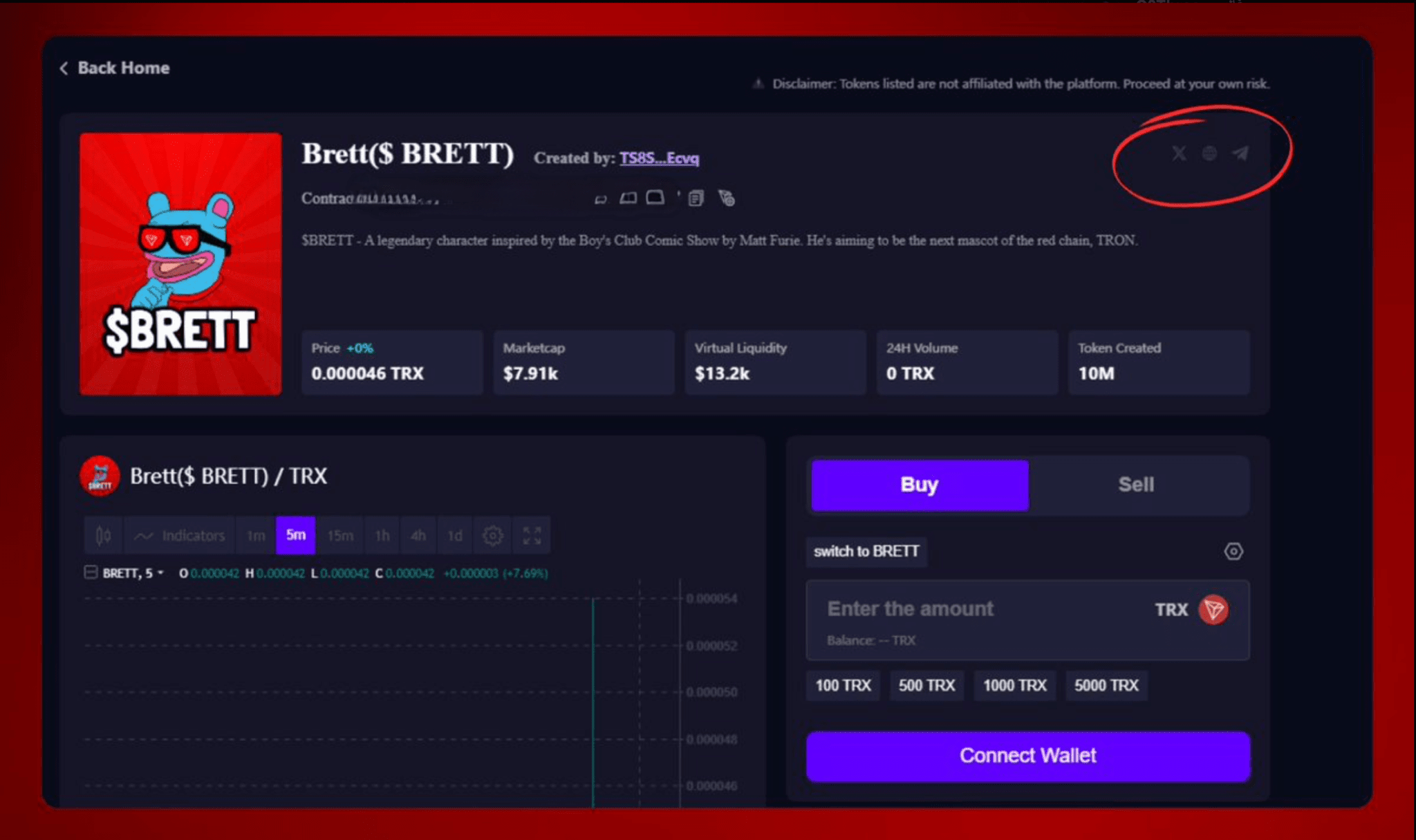
Check the socials:
• An active and unbanned Twitter account; analyze it using https://tweetscout.io
• A well-designed website that looks professional, not simplistic
• An active Telegram group without bots
Unfortunately, TRON doesn't yet have tools like Token_Sniffer or Rugcheckxyz.
However, you can use DEXToolsApp to analyze a contract:
• Copy/paste the address into Dextools
• Check the DEXTScore and Token Description
You can also use the blockchain explorer (TronScan) for further checks on the contract:
• Go to TronScan
• Copy/paste the token address
• Check if the contract is verified
• Check the reputation
There are 5 reputation levels: Unknown, Neutral, OK, Suspicious, and Unsafe. Avoid the last two.
Few people follow TRON insiders, so copying them can guarantee significant gains.
Here’s the strategy:
• Go to the Dune Dashboard "SunPump Alpha Wallets"
• Click on "PnL in %" to see the top performers at the top
• Copy and paste their address into TronScan to follow their latest moves
There are some TRON bots, but I've discovered a few suspicious elements while using them, so I prefer not to share them.
More teams will start developing TRON bots in the coming weeks, and I'll keep you updated on the best ones to use.
I hope you've found this article helpful.
Follow me @Bluechip for more.
Like/Repost the quote if you can.
