

Main conclusions
Binance P2P is a peer-to-peer trading platform where you can sell and buy cryptocurrency directly from other users. Our P2P platform supports over 700 payment methods and many fiat currencies.
Before placing an order, we recommend that you double check that your payment account name matches your verified name on Binance. This will avoid problems that may arise with transactions on Binance P2P.
You can check your verified name on the Binance website or app quickly and easily.
Peer-to-peer (P2P) trading is a popular way to buy and sell cryptocurrencies directly without intermediaries. The Binance P2P platform offers users over 700 payment methods and 100+ fiat currencies, as well as high liquidity and flexible terms. In addition, our P2P exchange has strong security measures such as escrow service and 24/7 customer support. This helps protect traders and their funds.
According to security protocols, the user's payment account name must match their verified name on Binance. If you pay using an account with a different name, the seller will not transfer funds to you as this will violate the P2P policy. This guide will teach you how to verify your verified name on Binance before placing orders to avoid later issues with payment methods on Binance P2P.
How to Check Your Verified Name on Binance P2P Website
Step 1: Login to your Binance account on the website and go to the Binance P2P page.
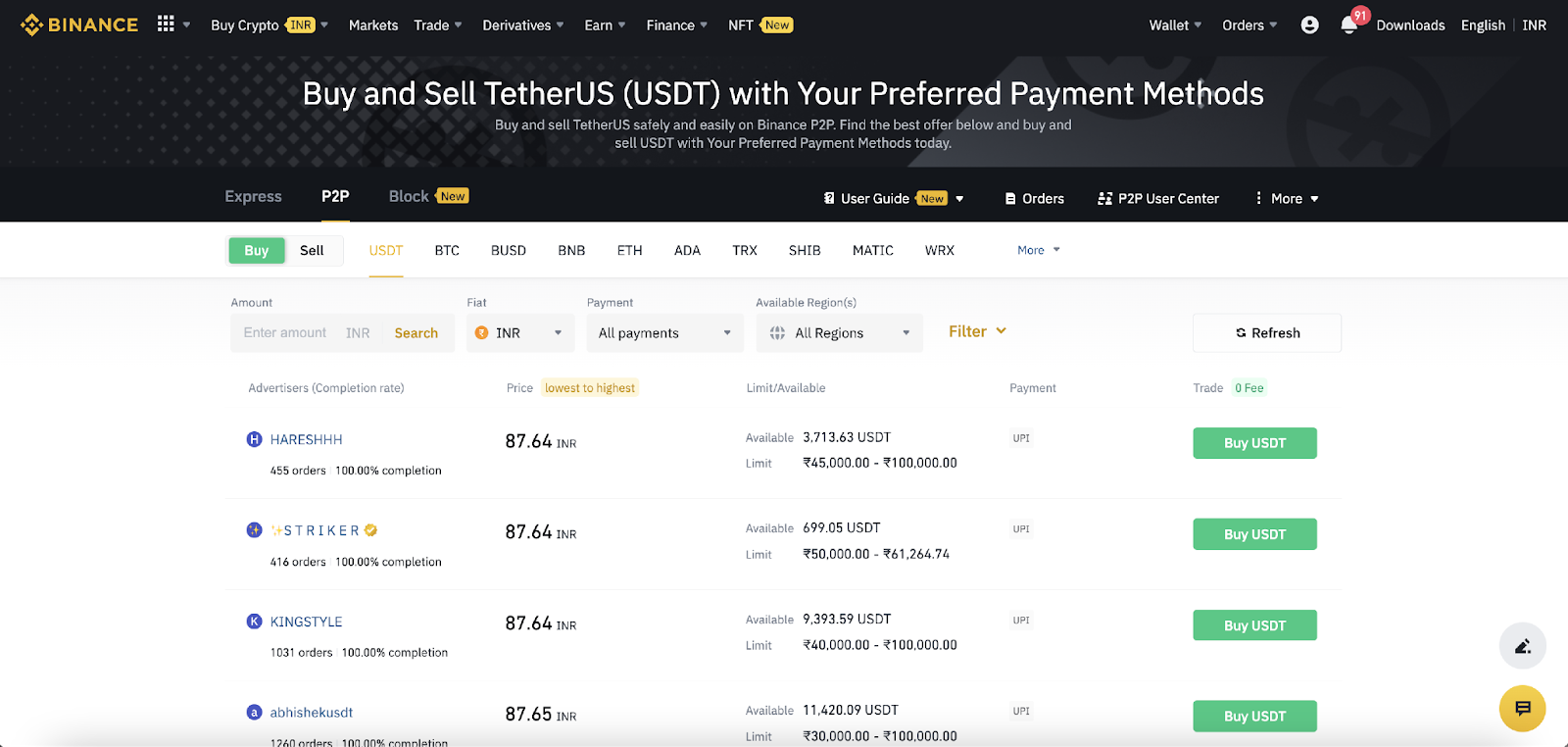
Step 2: Click More on the top navigation bar and select Payment Options.
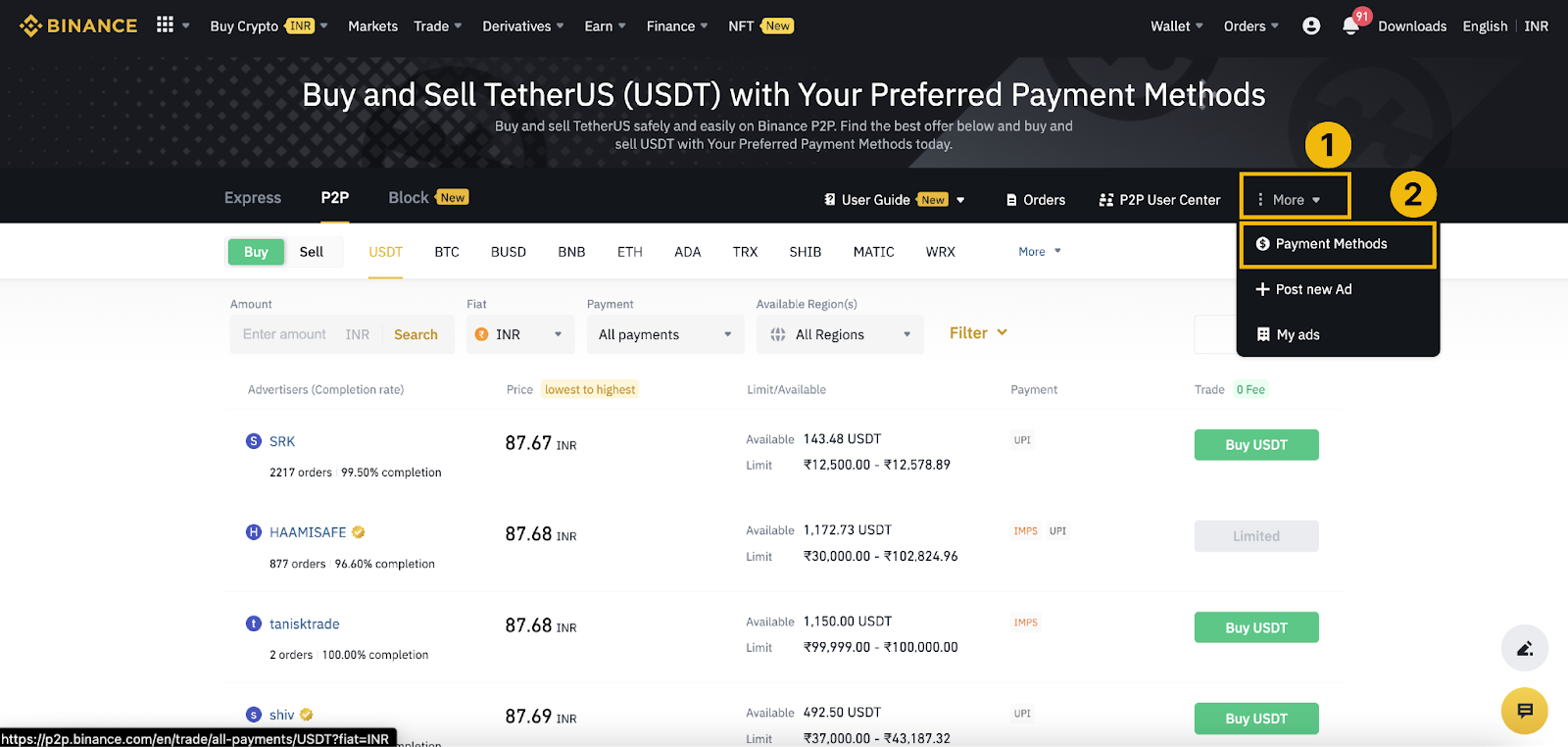
Step 3. Click Add payment method and select the method that suits you.
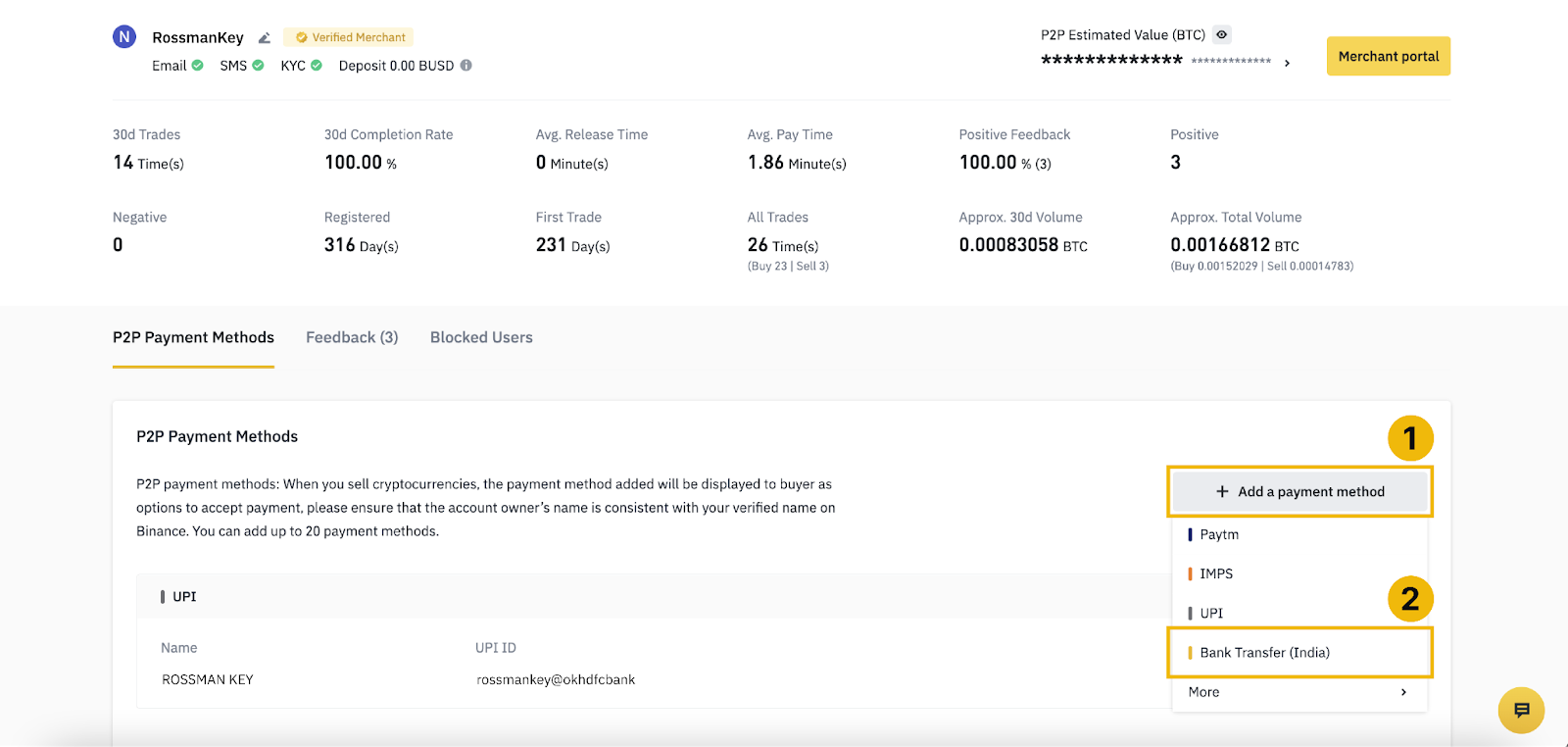
Step 4. When you select a method, your verified name will be displayed at the top in the Last Name First Name column.
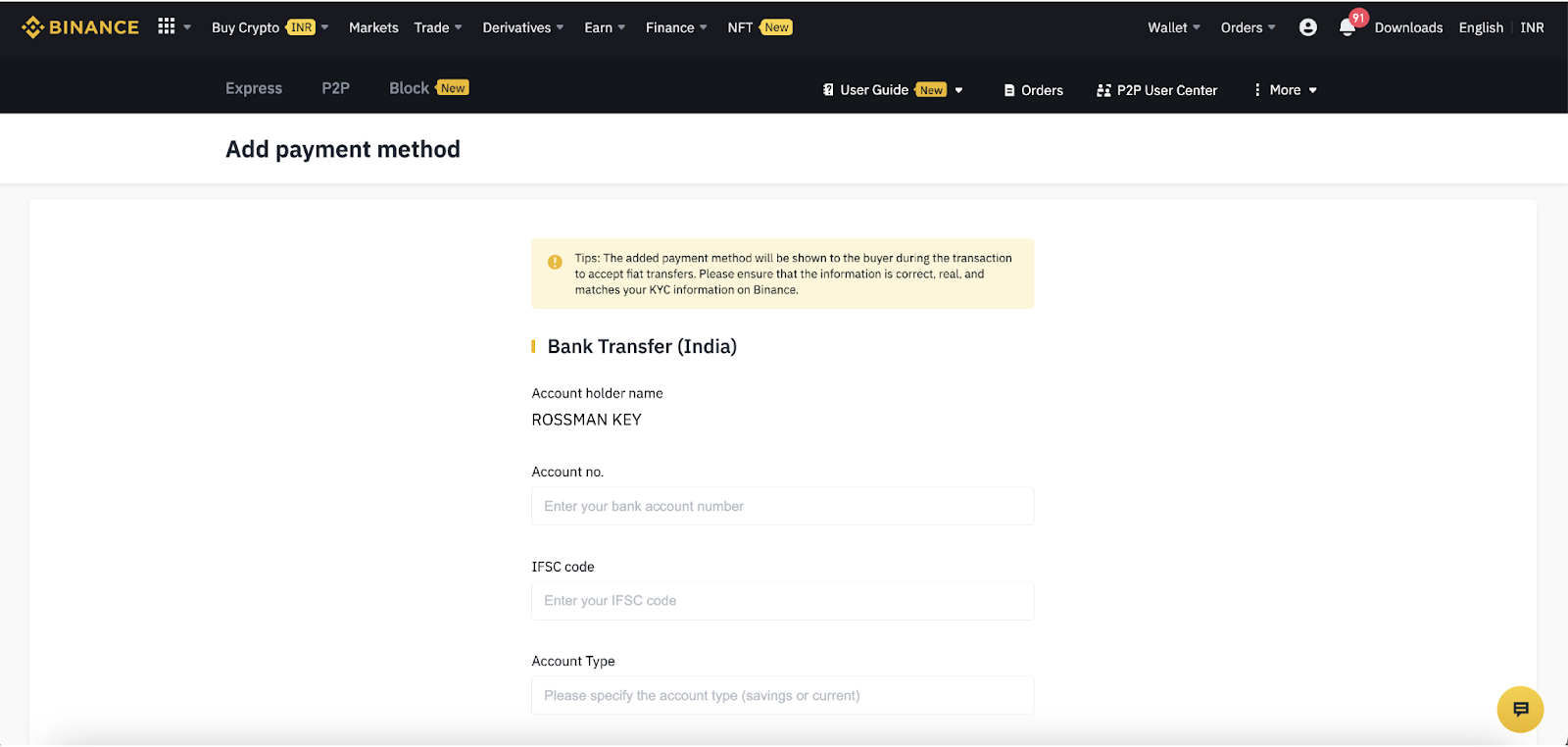
Note. If the account holder's name does not match the name you verified with, we advise you to correct it as soon as possible.
You can change it through the name correction request form (our team will correct it within three weeks) or by contacting Binance P2P customer support via live chat to report the discrepancy.
How to Check Your Verified Name on the Binance P2P App
Step 1: Login to your Binance account through the app and go to the P2P trading page. You must have Pro mode enabled.
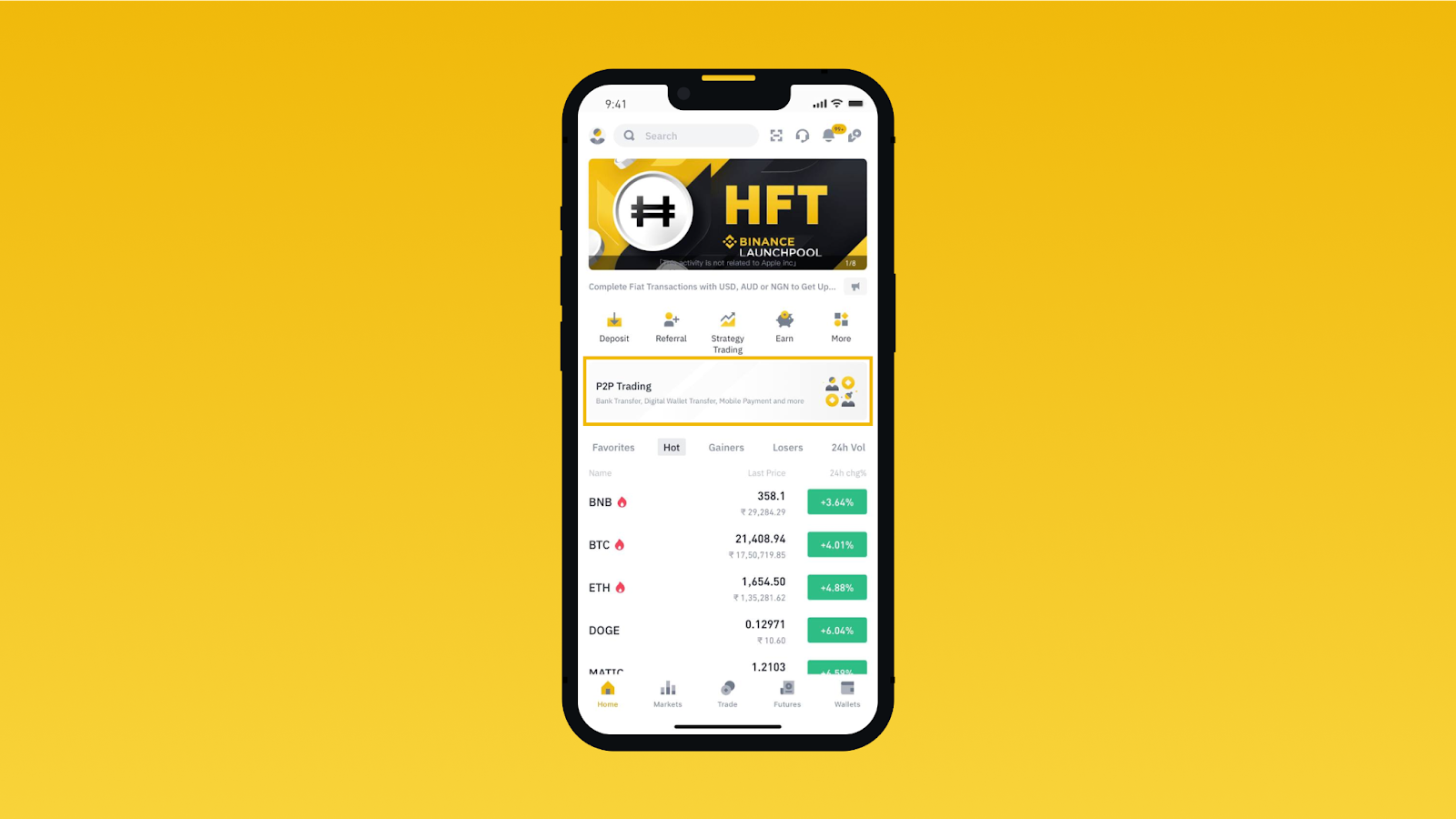
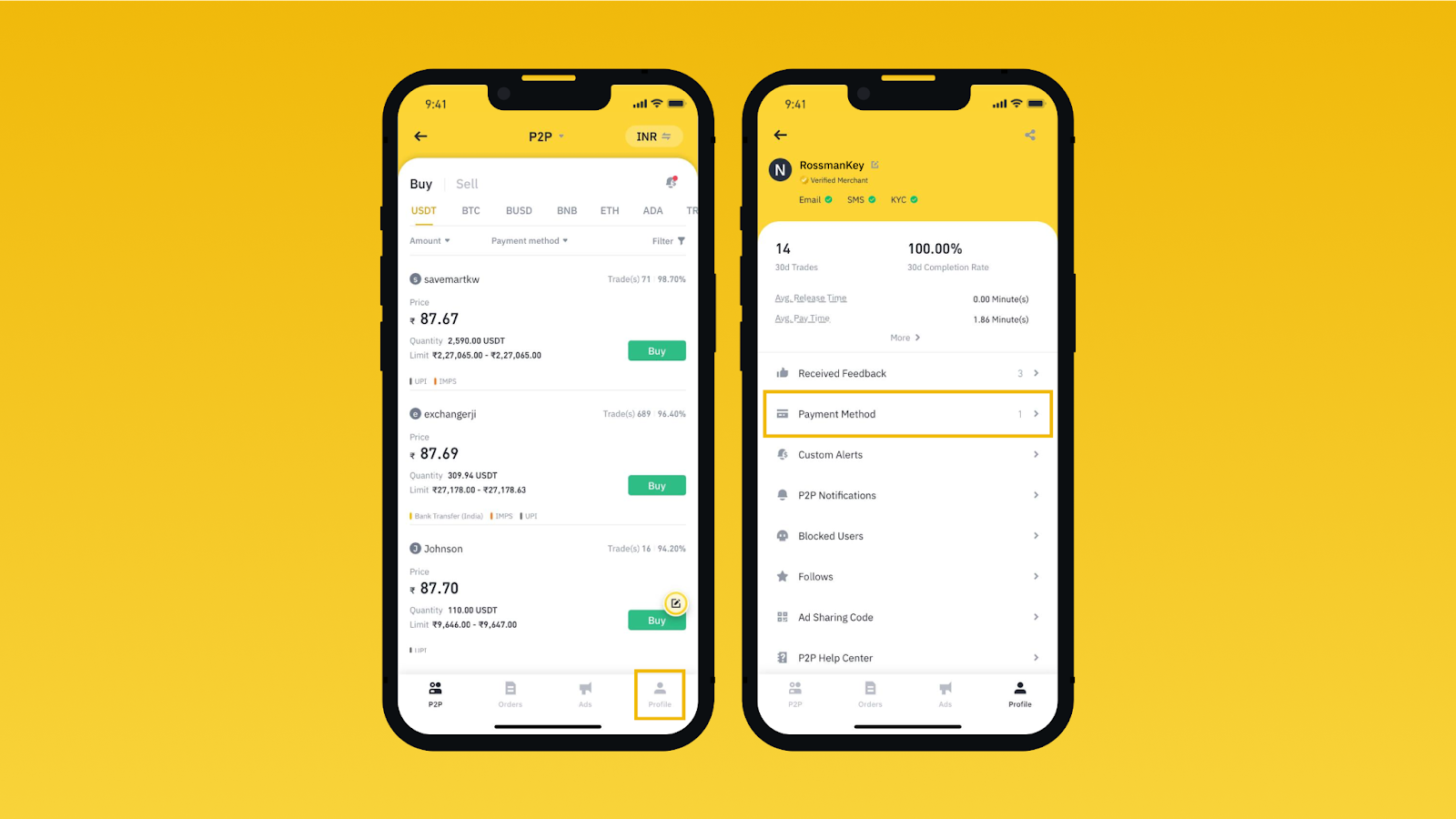
Step 2: Click Profile in the lower right corner and select Payment Method.
Step 3: Click Add a new payment method at the bottom of the screen and select the method that suits you.
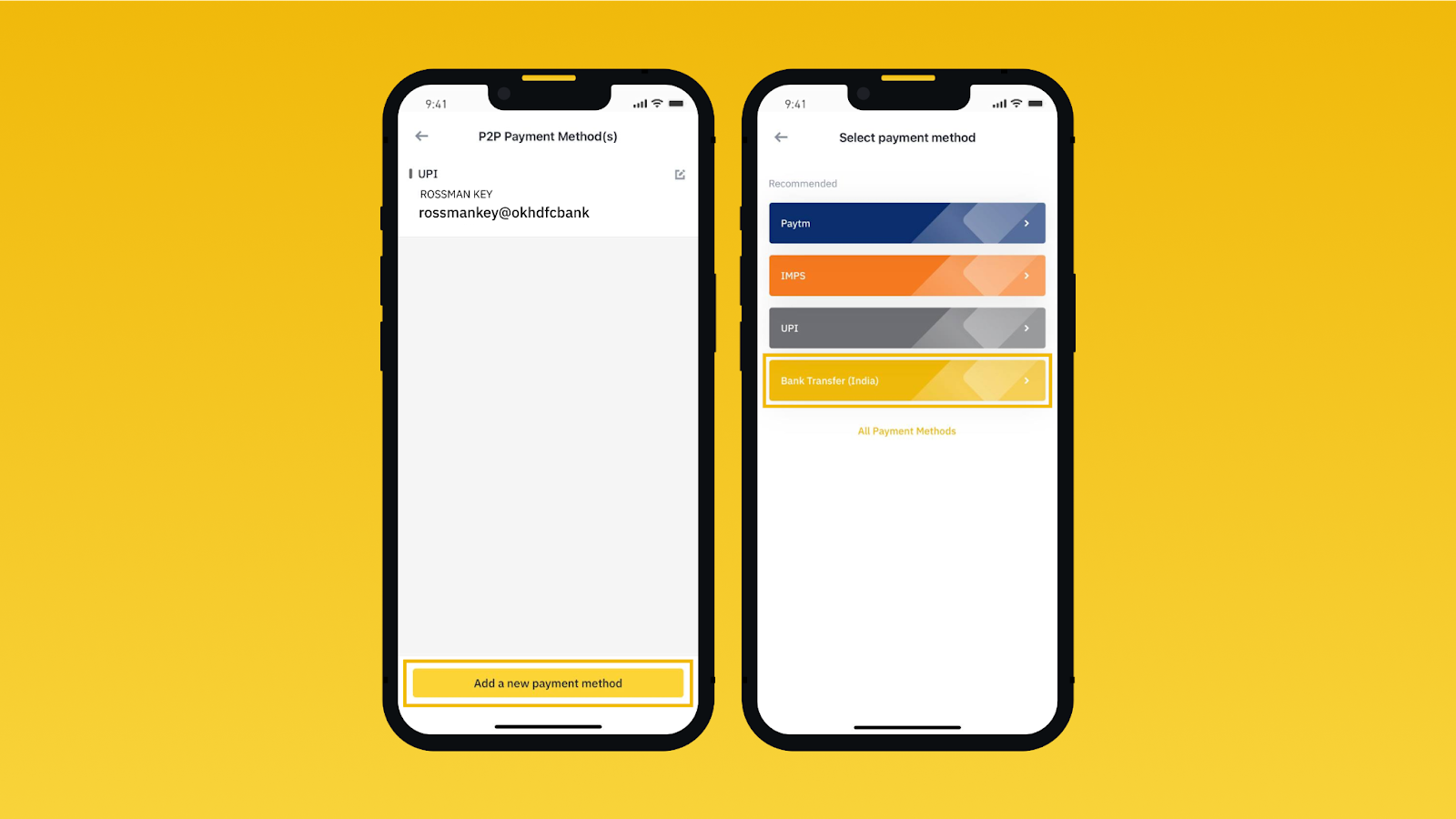
Step 4. When you select a method, your verified name will be displayed at the top in the Last Name First Name column.
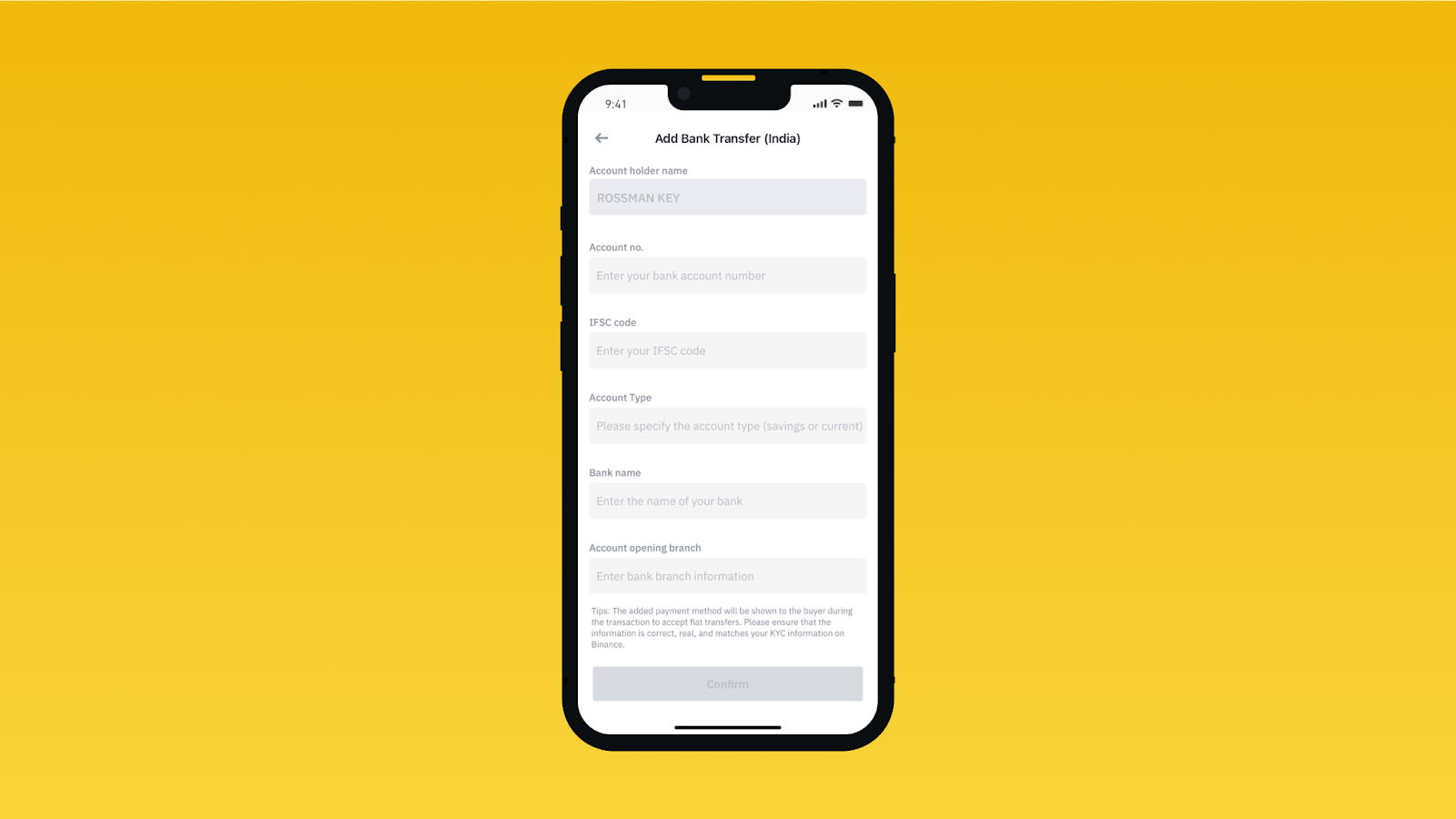
If the Name you see in the account holder field does not match the name on the identification documents you provide, we strongly encourage you to correct it using the Name Correction Request form or contact our customer service team.
Check your Binance P2P verified name on the website or app.
Trade on Binance P2P safely
If you're ready to start trading on Binance P2P, register an account on the Binance website or Binance app. Once you complete the identity verification process, you will be able to start trading cryptocurrency on the Binance P2P platform.
For more detailed information on how to sell and buy cryptocurrency on Binance P2P, you can read the following materials:
(Blog) Everything You Need to Know About Bitcoin and Cryptocurrency Trading on Binance P2P
(Blog) Binance P2P: How P2P Traders Are Protected
(Support) How to Buy Cryptocurrency on P2P Platform on Binance App
(Support) How to Sell Cryptocurrency on P2P Platform on Binance App
Denial of responsibility. Your use of the Binance P2P Services and all information and other content (including third parties) included on or available on the Binance P2P Platform is at your own risk. Our responsibility is limited to processing cryptocurrency transactions. All payments are final upon completion unless otherwise required by law. Binance P2P Platform has neither the right nor the obligation to resolve any disputes arising in connection with a completed payment. Neither the Binance P2P platform nor the merchants are responsible for losses incurred as a result of a completed payment.