

How to Get Started With Binance Wallet Exclusive TGE Offering Subscription
1. Log in to your Binance account and go to [Wallet] - [Web3]-[TGE Offering Subscription].
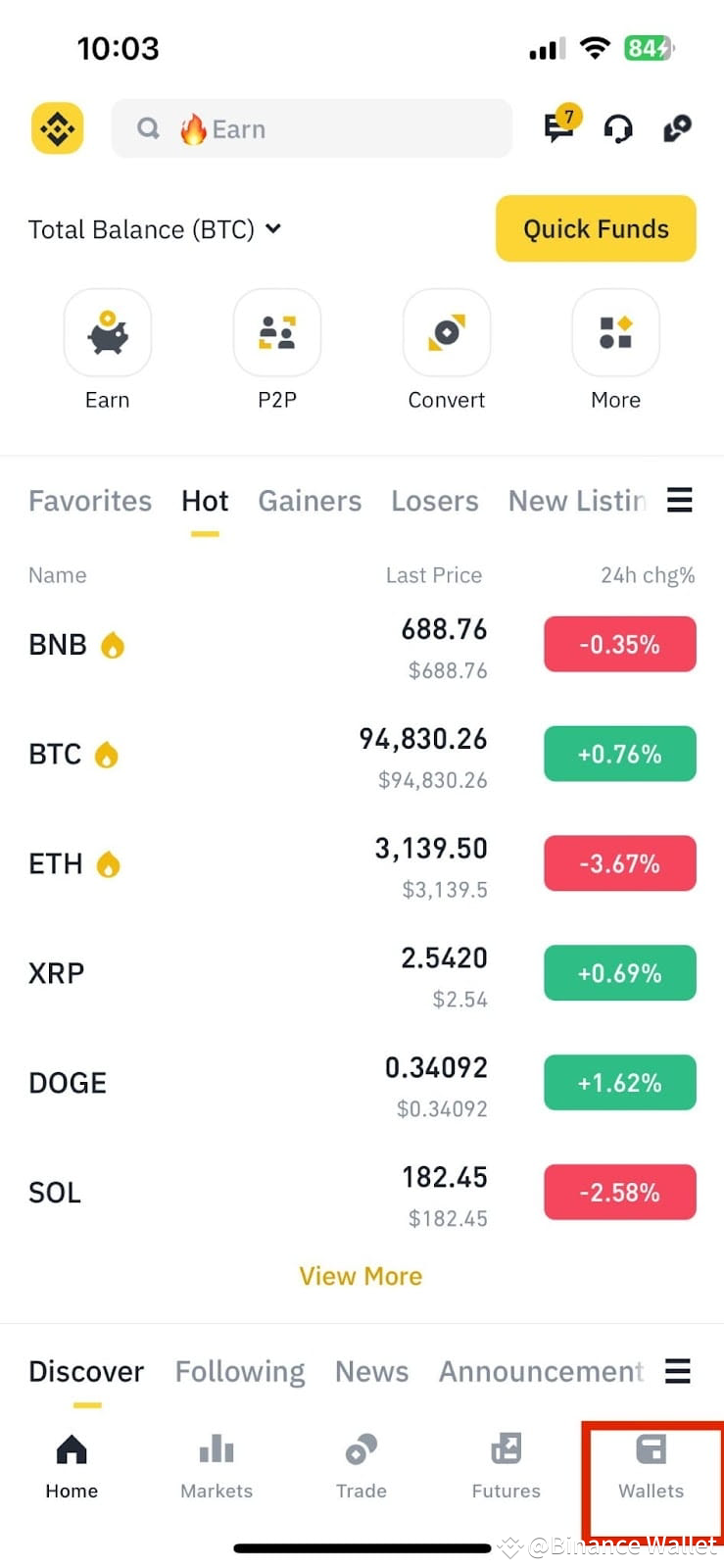
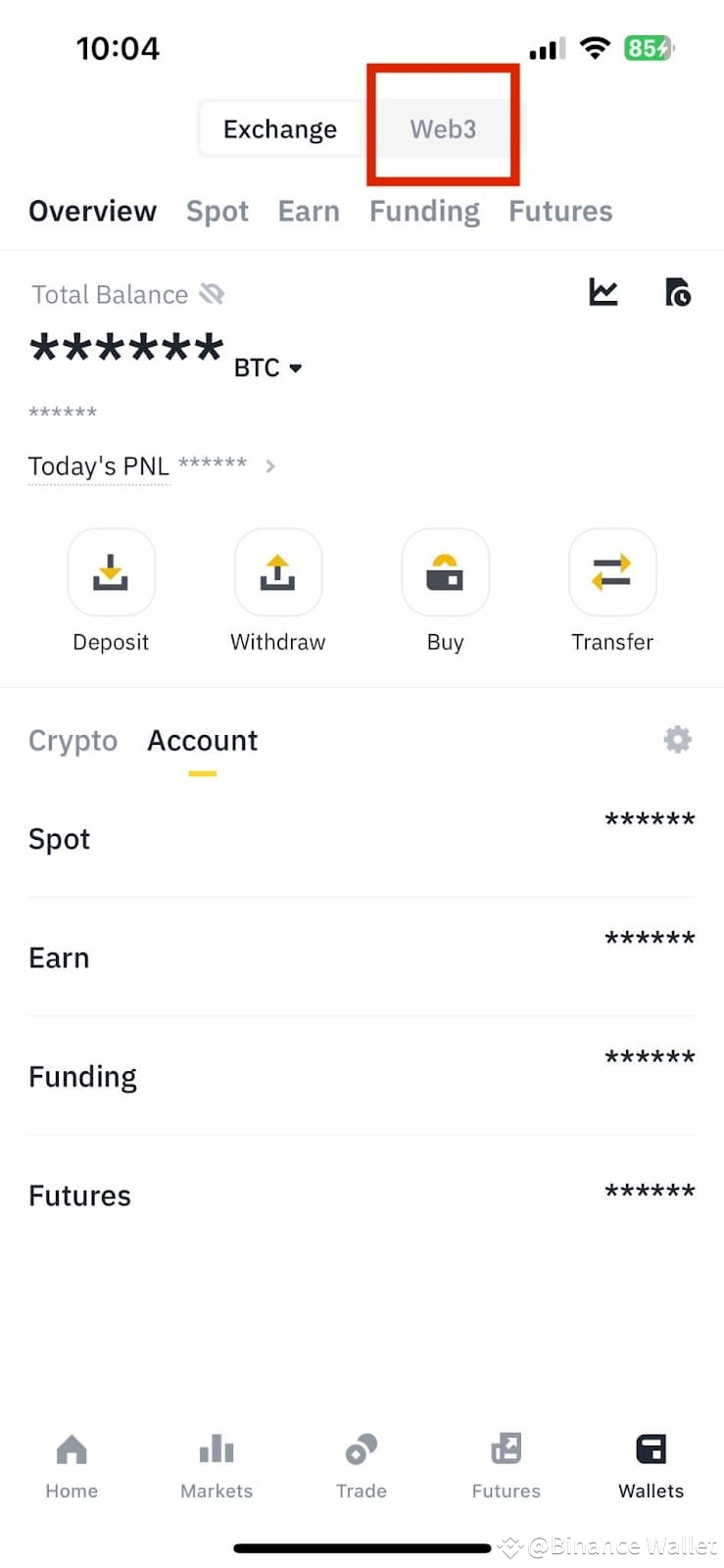
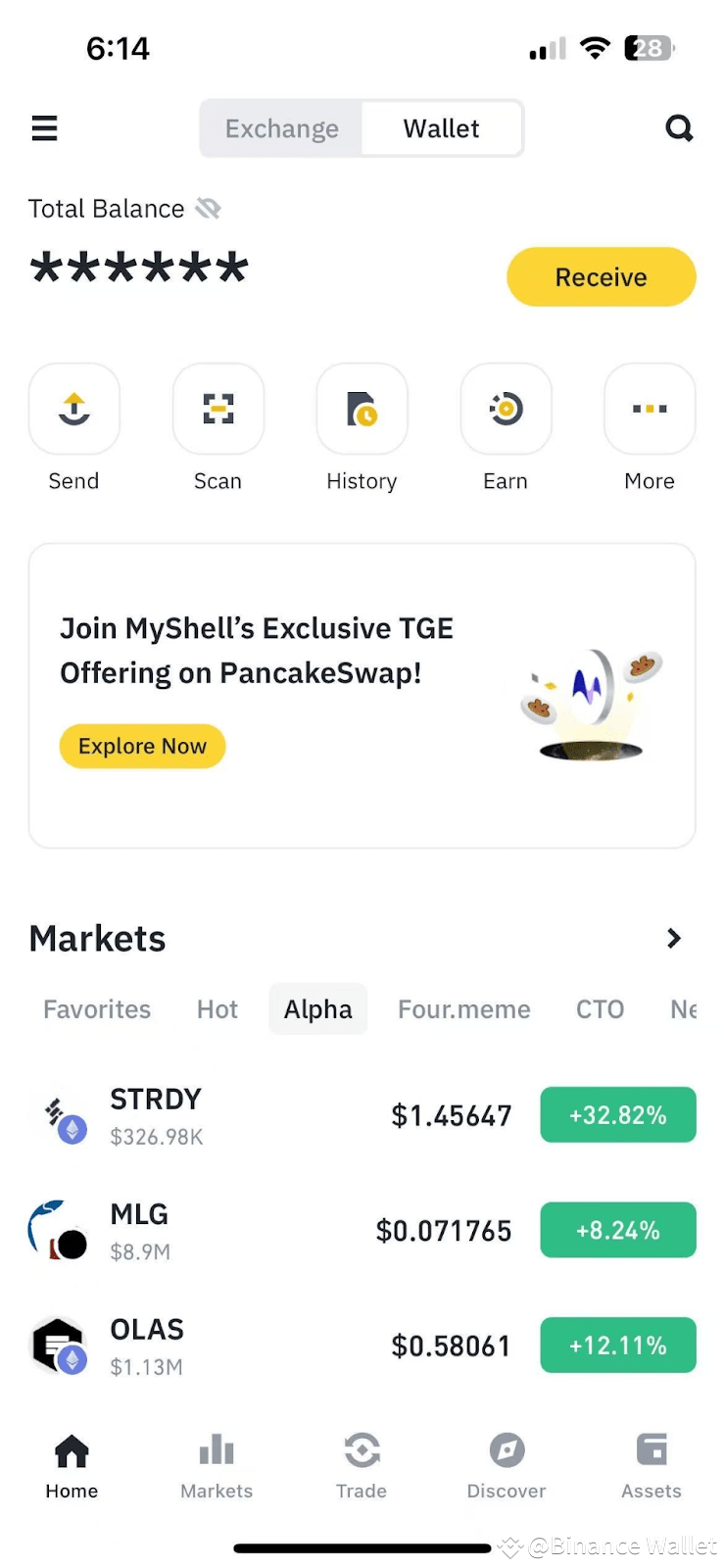
2. Before participating in this event, please ensure that your keyless wallet contains BNB. If not, please refer to this tutorial to top up BNB in advance. Click the TGE Offering Subscription Card on Binance Wallet homepage and enter into the TGE Offering Subscription details page.
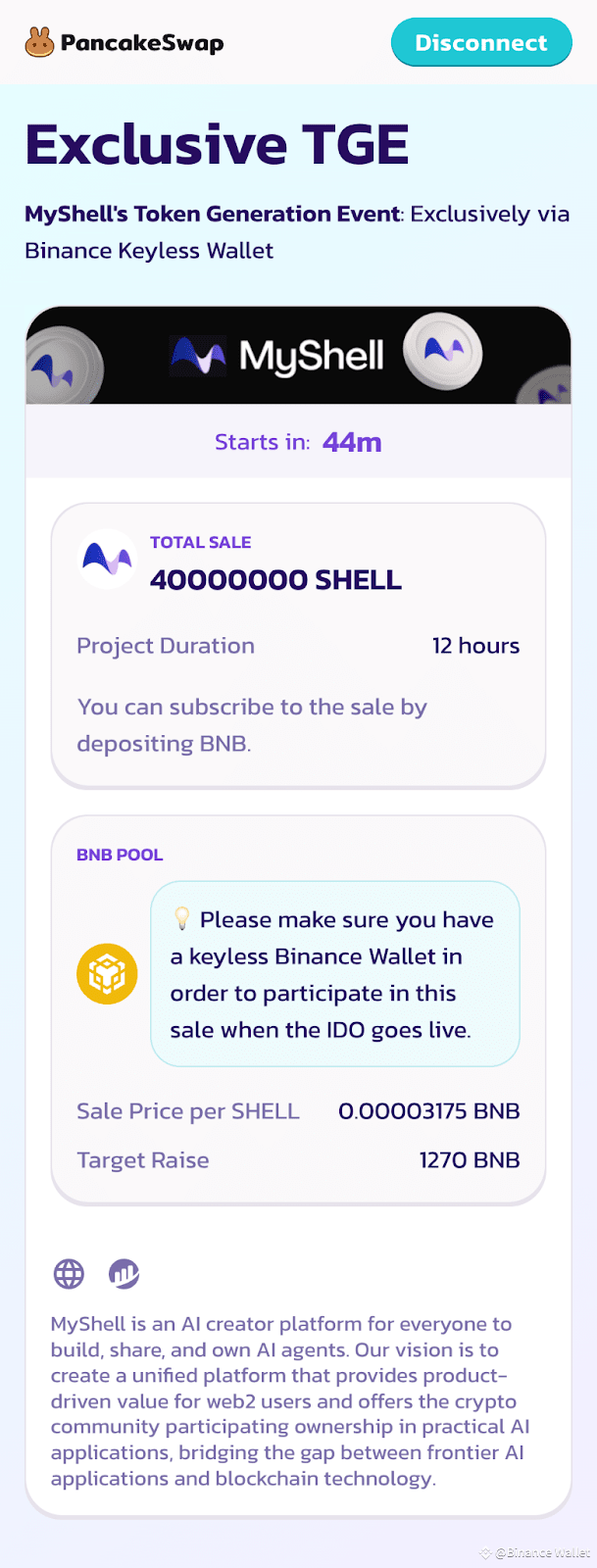
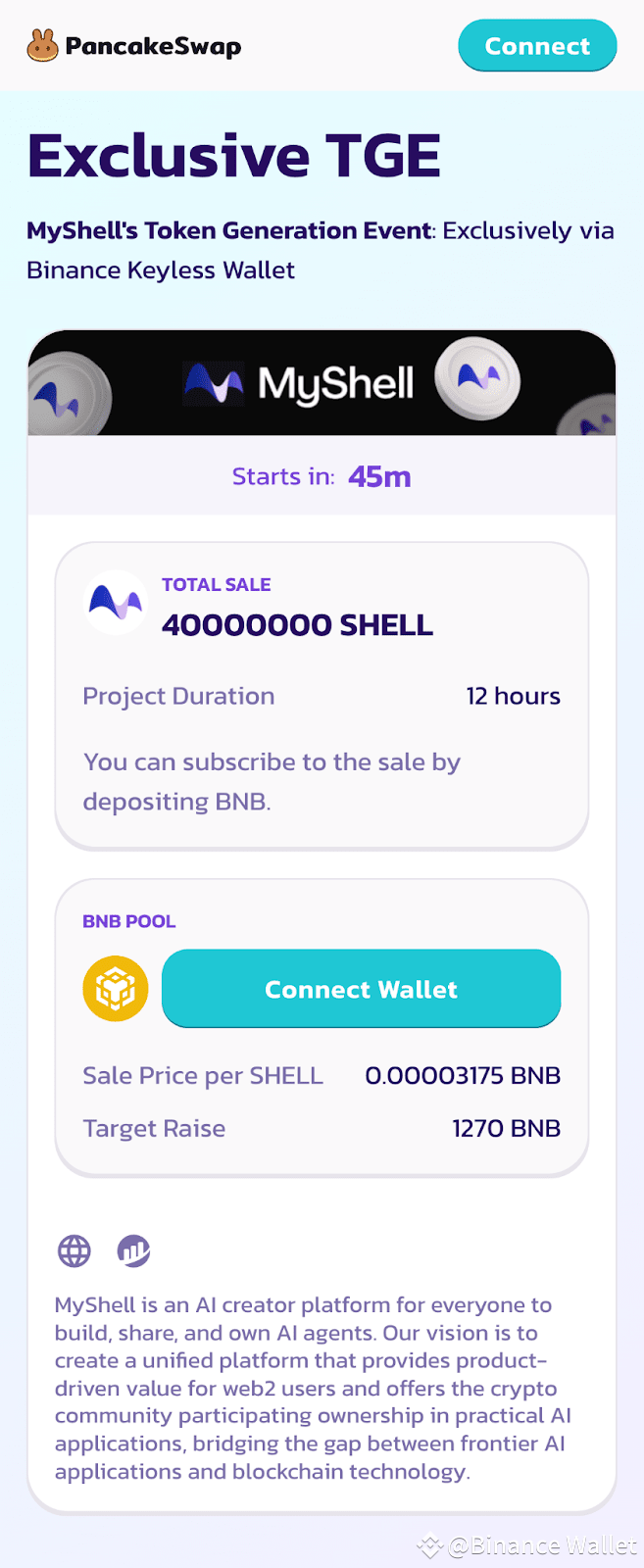
3. After connecting with a backed up Binance Keyless Wallet (Keyless), you can purchase SHELL (MyShell) with BNB on the BNB Smart Chain. To purchase a SHELL (MyShell) token, you need to deposit BNB first on the PancakeSwap page.
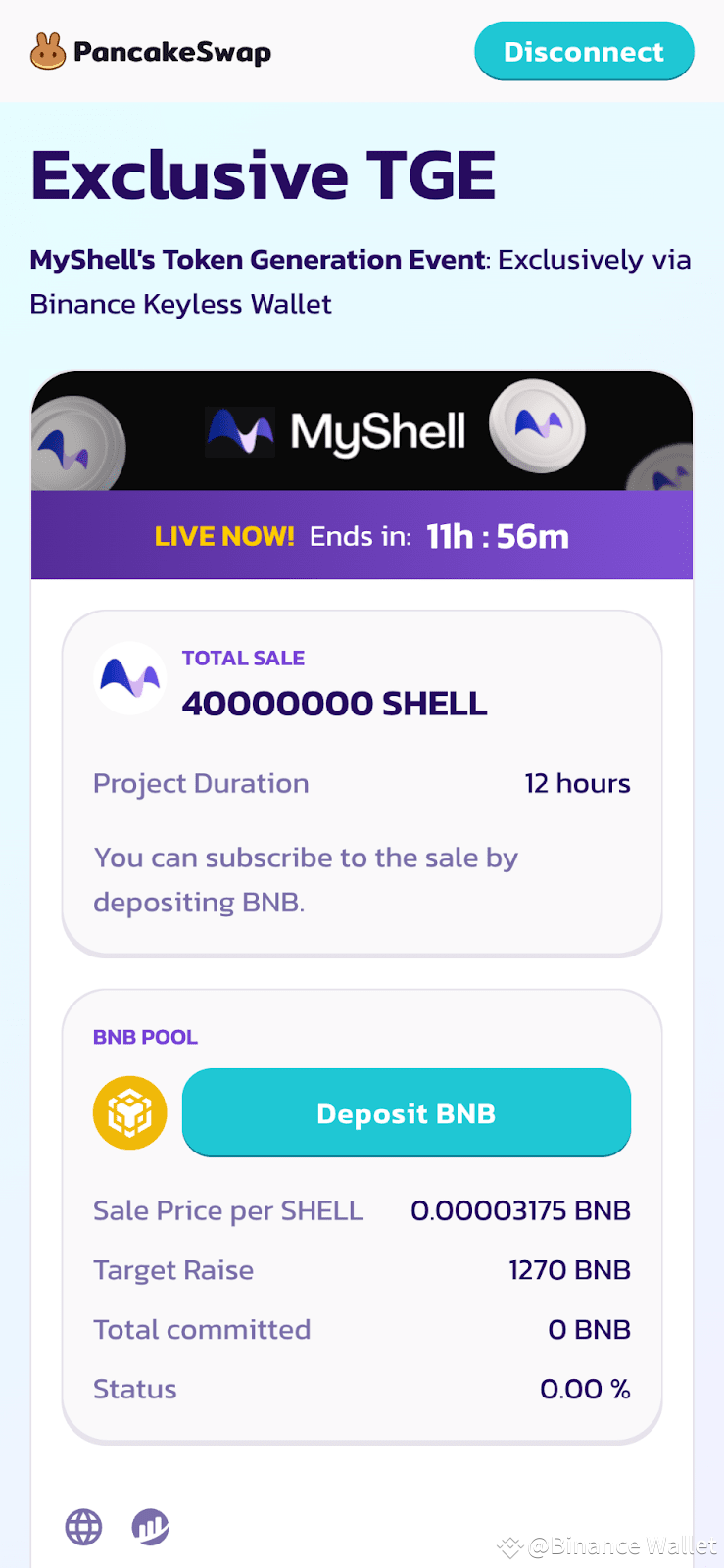
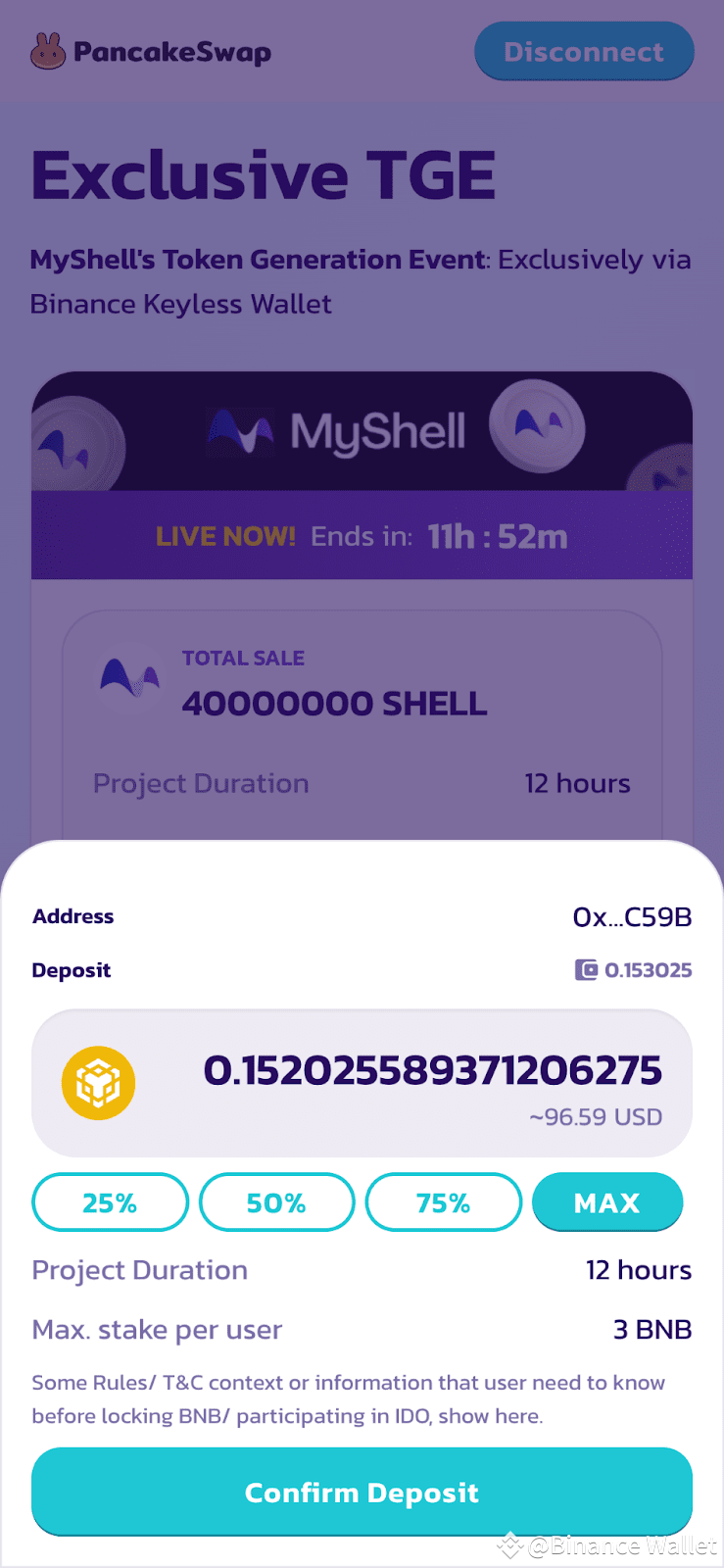
4. Fill in the deposit number and click the “Confirm Deposit” button.
5. Your transaction is being processed once you see the “Submitting” popup
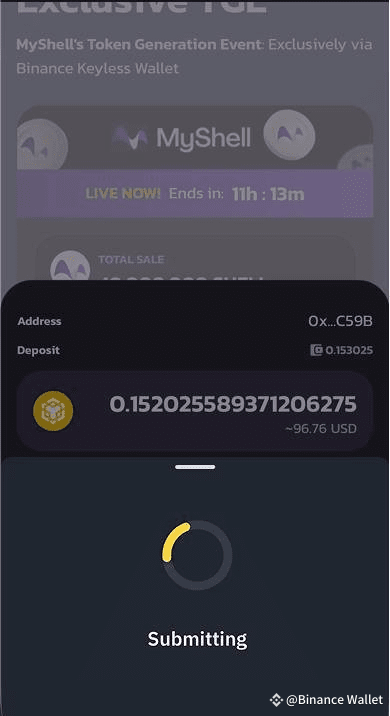
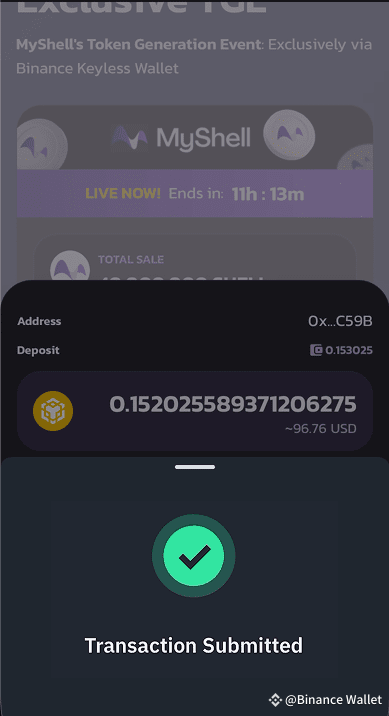
6. After the transaction is confirmed, a 'Transaction Submitted' prompt will be displayed, and you can see your purchase amount in BNB.
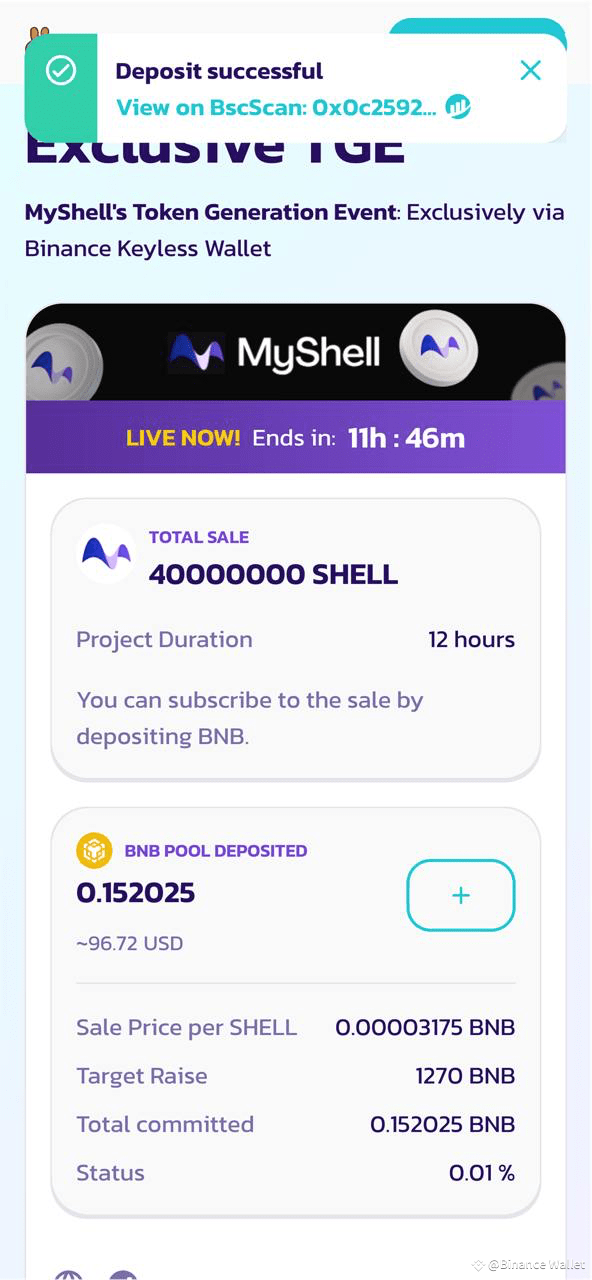
7. After the TGE Offering Subscription is completed, you can claim your allocated SHELL (MyShell) through Binance Keyless Wallet. The remaining BNB after the simultaneous purchase will also be automatically refunded to the user's wallet address.
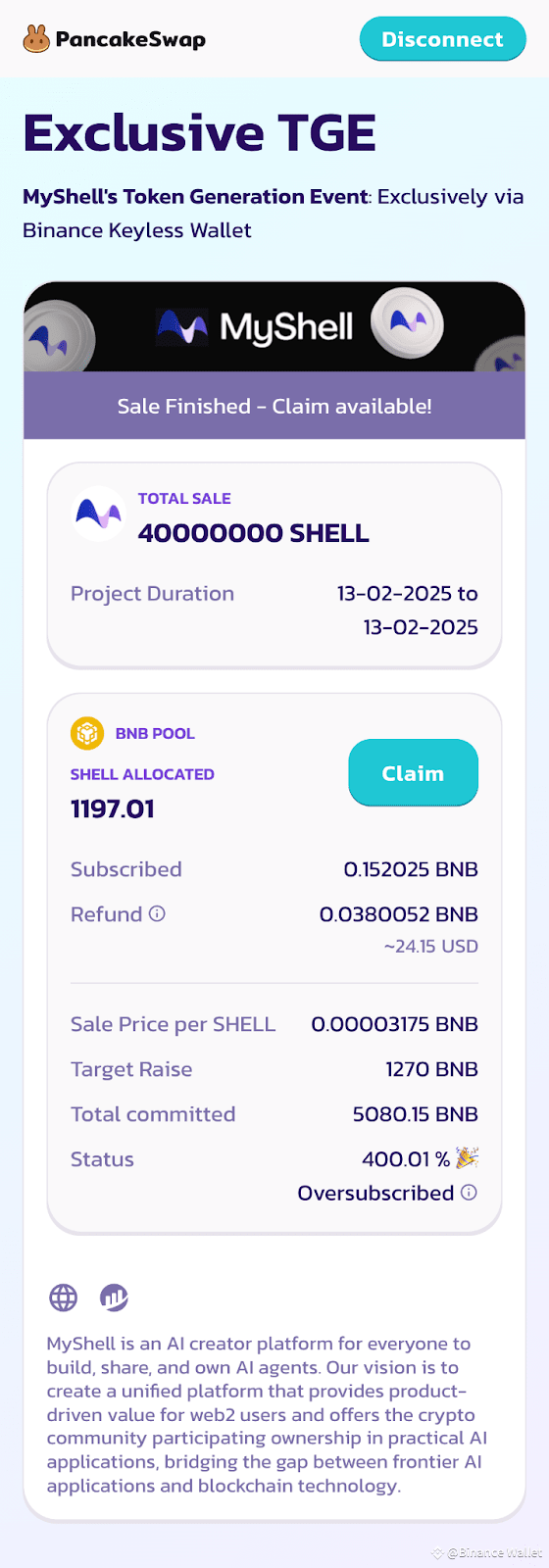
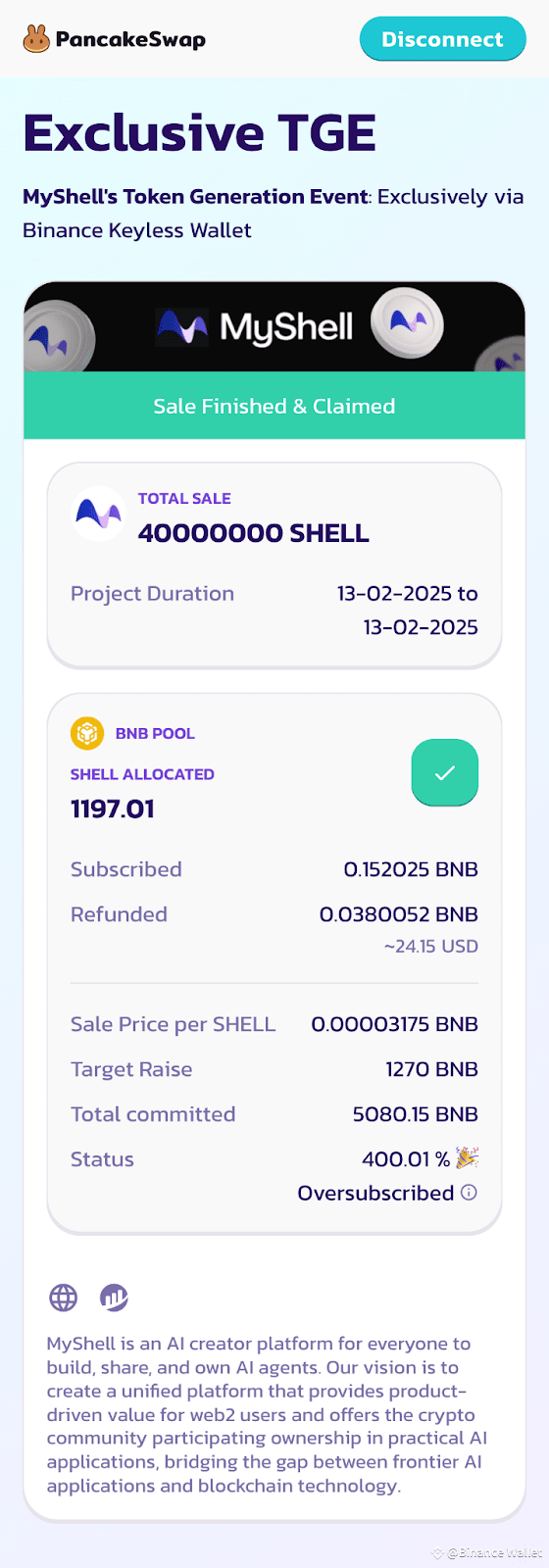
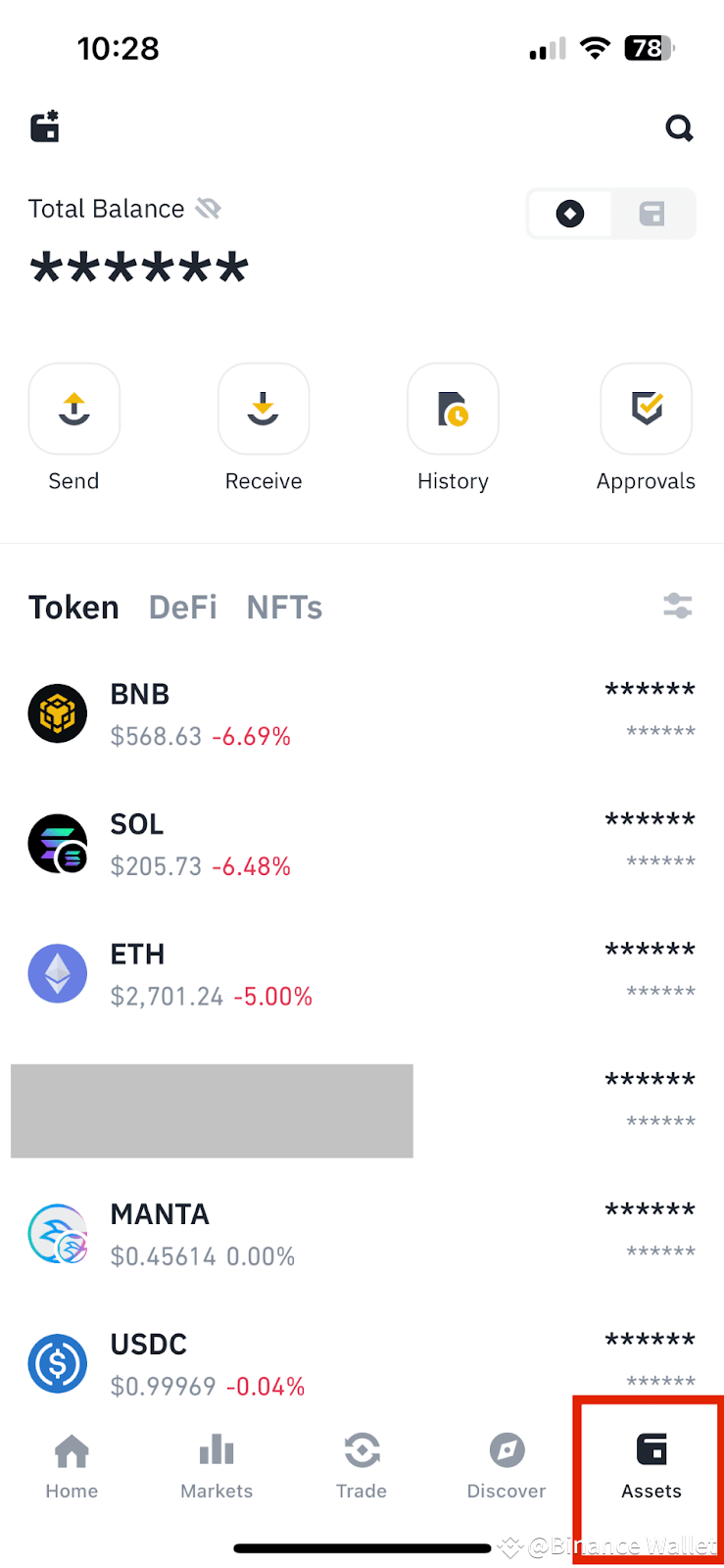
8. After claiming your SHELL (MyShell) tokens, users can view SHELL (MyShell) tokens on the assets page of Binance Keyless Wallet.
Frequently Asked Questions on Binance Keyless Wallet TGE Offering Subscription?
1.What tokens can I use to purchase TGE Offering Subscription tokens this time?
The token sale for this TGE Offering Subscription only supports BNB on the BNB Smart Chain. Users can only purchase using BNB on the BNB Smart Chain.
2.What is the maximum amount of TGE Offering Subscription tokens I can purchase this time?
Each Binance Keyless Wallet (Keyless) can deposit a maximum of 3 BNB worth of tokens in this sale. This event is based on the BNB deposit model. Users will share the tokens from this sale proportionally according to the amount of BNB they have deposited.
Users’ allocated token volume = users deposited BNB/ total users deposited BNB * SHELL (MyShell) sale volume
3.What is the sale price of TGE Offering Subscription tokens this time?
The sale price of SHELL (MyShell) tokens in this TGE Offering Subscription is $0.00003175 BNB per SHELL (MyShell).
4.After purchasing, do I need to claim the tokens?
Yes, you need to claim your tokens.
5.When will I receive my SHELL (MyShell) tokens after the TGE Offering Subscription ends?
After TGE Offering Subscription ends, users will be able to claim their SHELL (MyShell) tokens. Please be sure to check your wallet-[ASSET] after claiming your allocated SHELL (MyShell). The remaining BNB after the simultaneous purchase will also be automatically refunded to the user's wallet address.
7.What should I do if I can’t connect my wallet to the TGE Offering Subscription page?
Check your internet connection
Check the network you’re connecting is a supported network in wallet
Try to update to the latest version
Disclaimer:
Binance Wallet is an optional product. It is your responsibility to determine if this product is suitable for you. Binance is not responsible for your access or use of third-party applications (including functionality embedded within the Binance Wallet) and shall have no liability whatsoever in connection with your use of such third-party applications, including, without limitation, any transactions you dispute. Please carefully review the Binance Wallet Terms of Use and always do your own research.
Digital asset prices can be volatile. The value of your investment may go down or up and you may not get back the amount invested. You are solely responsible for your investment decisions and Binance is not liable for any losses you may incur. Not financial advice. For more information, see our Terms of Use and Risk Warning.