

#BRC20 It’s not over yet, #DRC20 is here to teach you step by step how to deploy or mint #drc20 tokens
1. Copy the link below 🔗 and open it in your browser to register for Binance:
https://accounts.suitechsui.tv/zh-CN/register-person?ref=10089328
2. Go to Binance to search and buy DOGE
3. Copy the link below 🔗 to the browser to open the download and install Dpal wallet
https://chrome.google.com/webstore/detail/dpalwallet-for-dogecoin/lmkncnlpeipongihbffpljgehamdebgi
4. Open the DPal wallet and generate your own Dogecoin wallet (note down the 12 mnemonic words and save them)
5. Copy the wallet address generated by Dpal, go to Binance to withdraw DOGE, fill in the wallet address and wait for the payment to arrive.
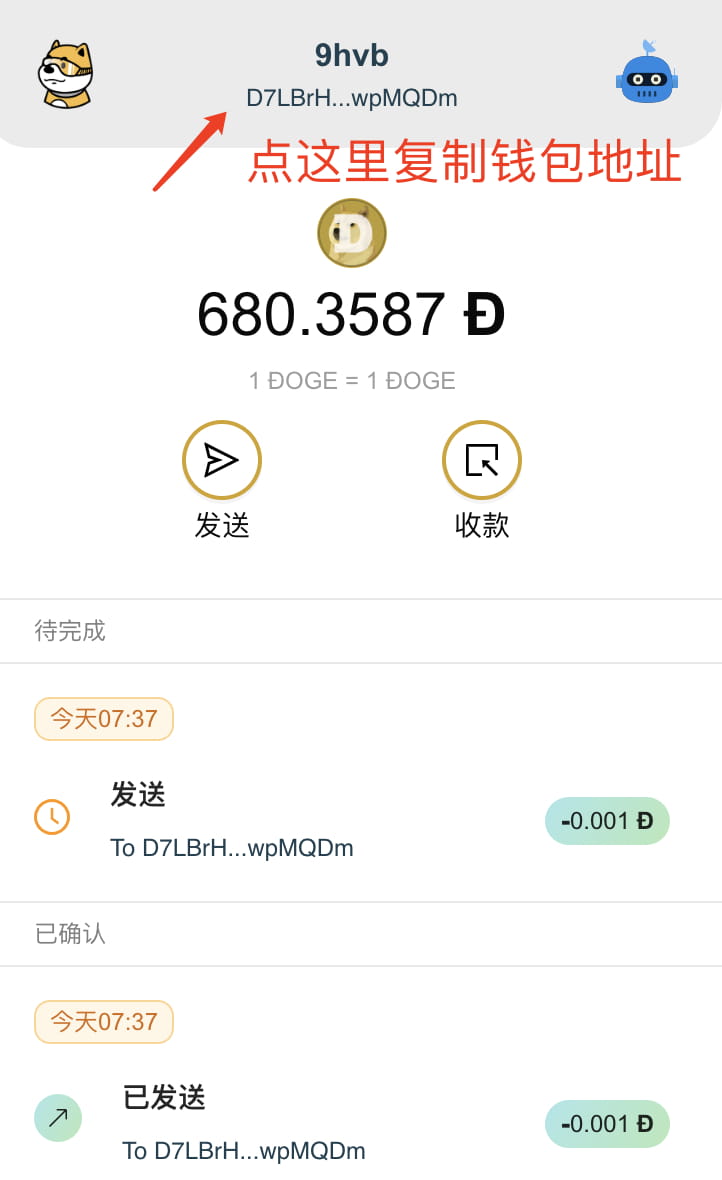
6. Open the DPal wallet and click the blue robot icon in the upper right corner

7. Click on the robot and click Ordinals inscription
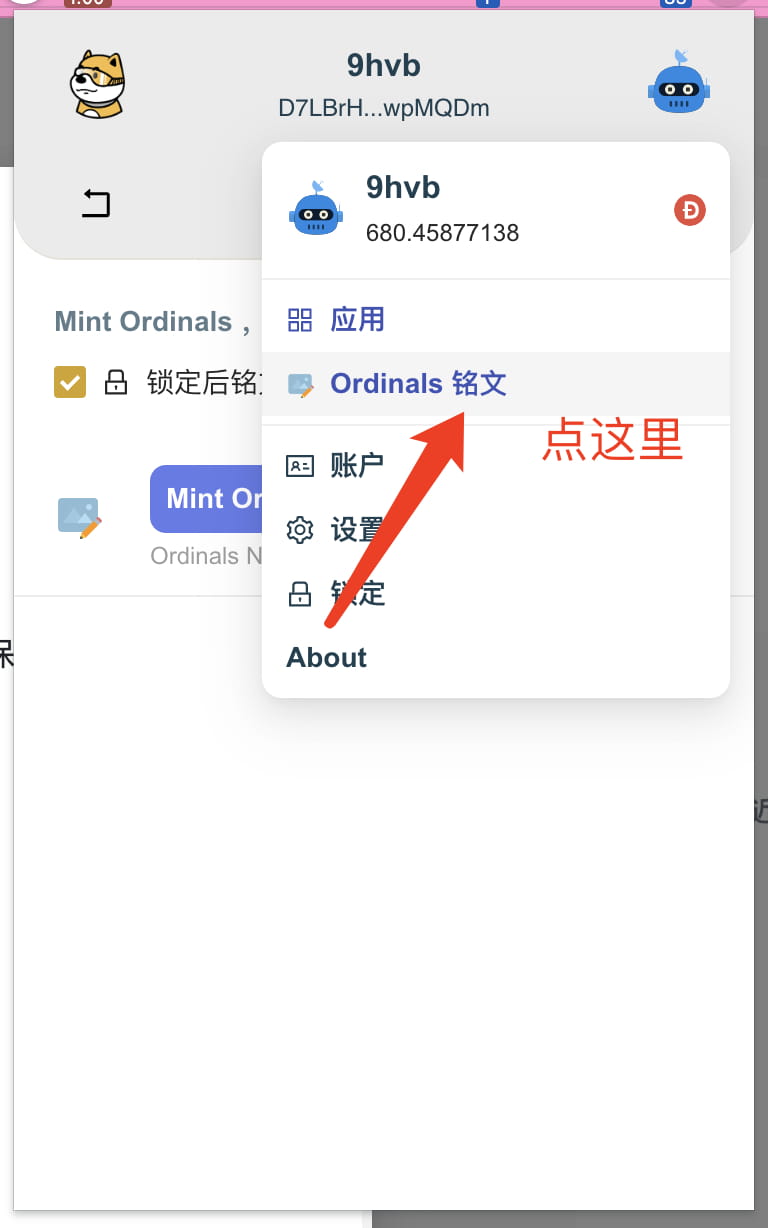
8. 点 Mint Ordinals

9. How to deploy and issue DRC20 tokens? For example, copy the following inscription into the input box and click Inscribe, then enter the wallet password and click OK to issue tokens in DRC20. The numbers after moon, max, and lim can be modified.
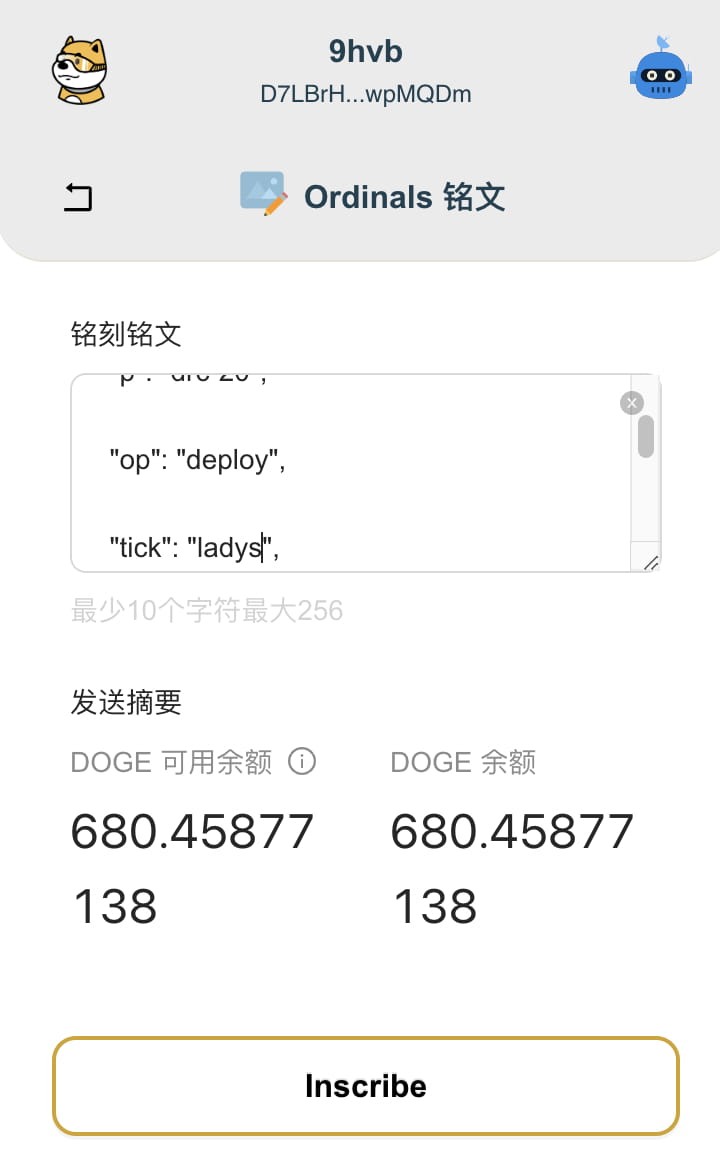

{
"p": "drc-20",
"on": "deploy",
"tick": "ladies",
"max": "1000000",
"lim": "100"
}
10. How to mint drc20 tokens? For example, copy the following inscription into the input box and click Inscribe, then enter the wallet password and click OK to redeem DRC20 mint tokens.
{ "p": "drc-20", "op": "mint", "tick": "ladys", "amt": "100" }

Note: The official @dogewow_club cast above may not necessarily admit it in the end, but the steps will be similar after the actual launch.
The Dogecoin drc20 community is crazy. Let me give you a picture to give you a feel. You are still very early.


