
# First, let’s understand what NULS’ POCM is:
The NULS SCO platform allows projects to use the intelligent contract-based concept of POCM ( Proof of Credit Mining ) to create an SCO ( Staked Coin Output ) node. Thus, NULS holders can stake their NULS in the projects that interest them and receive the project tokens instead of the NULS rewards.
The project’s SCO node will receive the NULS rewards. Projects will use the received NULS to help fund their project requirements. At POCM setup, the project determines the POCM parameters, sometimes with the help of the NULS team.

What are the steps to join NULS SCO Staking?
Connect your Nabox Wallet on SCO
There are two ways to connect your wallet to the NULS SCO platform.
1º Connect via the Chrome Extension Nabox
2º Connect via Mobile Nabox APP
You can download the Nabox wallet from the link below:
1º Nabox Chrome Extension
2º Android ( Google Play )
3º iOS ( Testflight )
NOTE: Ensure that you have the latest Nabox version. This guide will use the Nabox extension in the Chrome browser!
Connect via Chrome Extension Nabox.
Nabox will hold accounts from different chains and multiple accounts from each chain. You need to specify the account you are using and the chain. Make sure you have selected the right NULS account and the NULS network.

Open the SCO staking platform: https://pocm.nuls.io/pocm.
Select Connect Wallet

Select the account you want to use and confirm.

Staking in a NULS SCO Project
Click on Select Project to go to the list of Projects available for staking. You will be able to choose many projects from this page. Always remember to do your research before staking, even though there are no principal risks.

Taking EarHart (one of the live SCO projects) for example
For this example, select the Earhart project. To stake, enter the amount of NULS. Each project has a minimum staking amount. Read the user agreement and then check the box indicating that you have read the agreement. You are ready to stake. Click on stake.

A preview window will appear. Click on stake & use your password to confirm.
Your staking information will be displayed using the My Project option. After staking, you may need to wait a few minutes for the information to be displayed.

#User Center
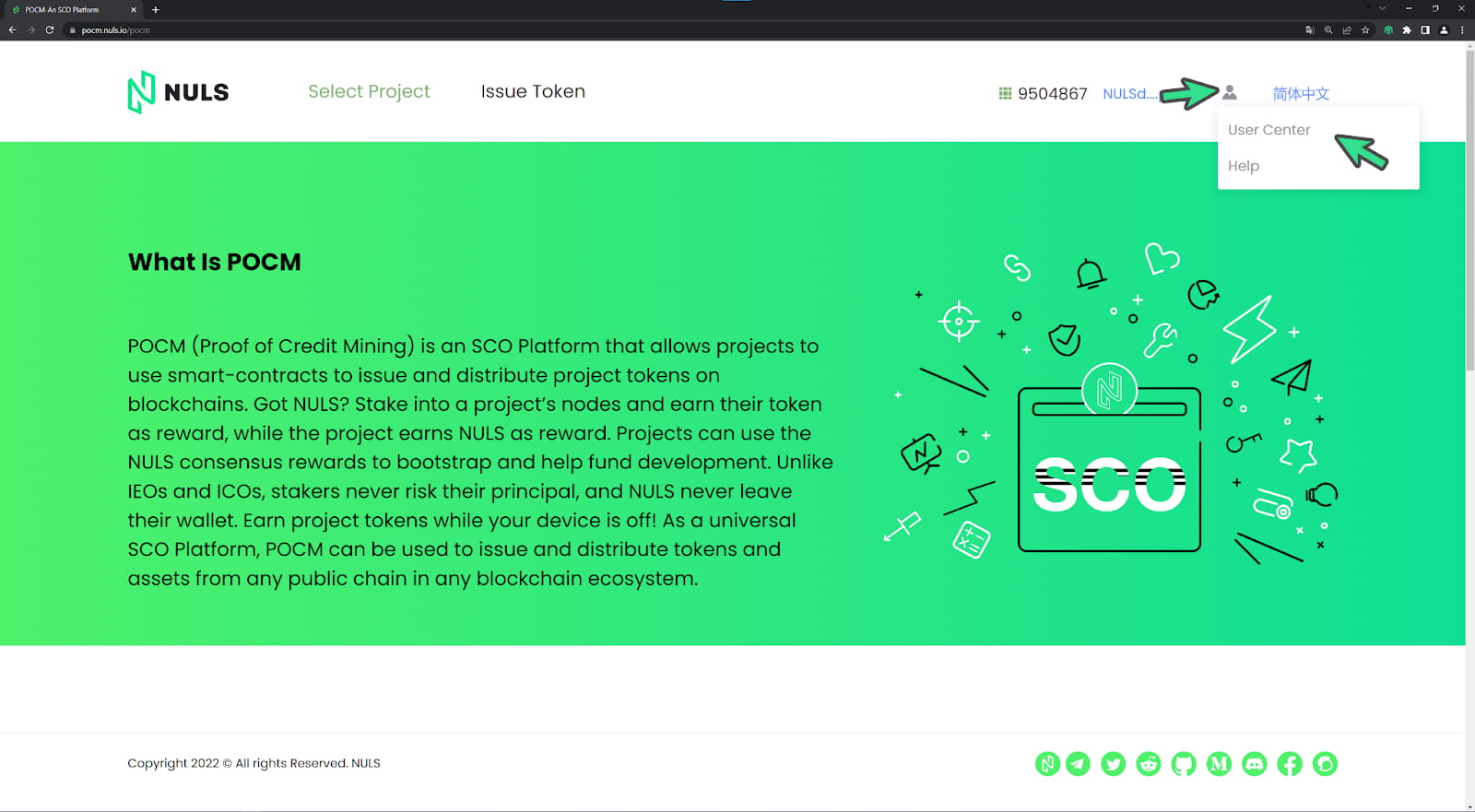
Hover your mouse over the head and shoulders icon in the top right corner. A menu will appear. Select User Center.
The User Center displays your account and balance. The “My Project” option is the most frequently used. My Project shows you all the currently staked projects, the tokens you have received, and the available tokens you can receive.
#BONUS

The three points identified in the image are worth checking out.
Only Staked: This shows only the projects you are currently staked in.
Only Active: This shows active projects on the NULS SCO platform. Make sure you participate (stake) in only active projects.
Search Box: The name says it all. It makes it easy for you to find your favorite project.
You can find over 40 SCO projects available on our SCO projects page, some of which have already been listed on exchanges so that you can trade them after your claim your rewards. To be noted is that most of the SCO projects have a 7-days locking period, meaning that you will be able to trade these earned tokens after the tokens are unlocked.
On the selected SCO page, you can find more corresponding project information such as total supply, POCM supply, website, available exchanges, social media info, etc.
Last but not least, take well care of your private keys and wallet passwords. Happy Staking!

